New featureMore from March 2023

Chat with us page: send customers to a dedicated live chat page

You can now redirect your customers to a Chat with us page, a dedicated page where they open your live chat and start a conversation with your team.

In short

  • New Chat with us page you can redirect customers to
  • Customers see their conversations and can start a new one from the page
  • Setup steps are in the Live chat URL article of the Help Center

You can now redirect your customers to a Chat with us page: a dedicated page that opens your Customerly live chat, so customers can reach your team from a single link.

A dedicated page for your live chat

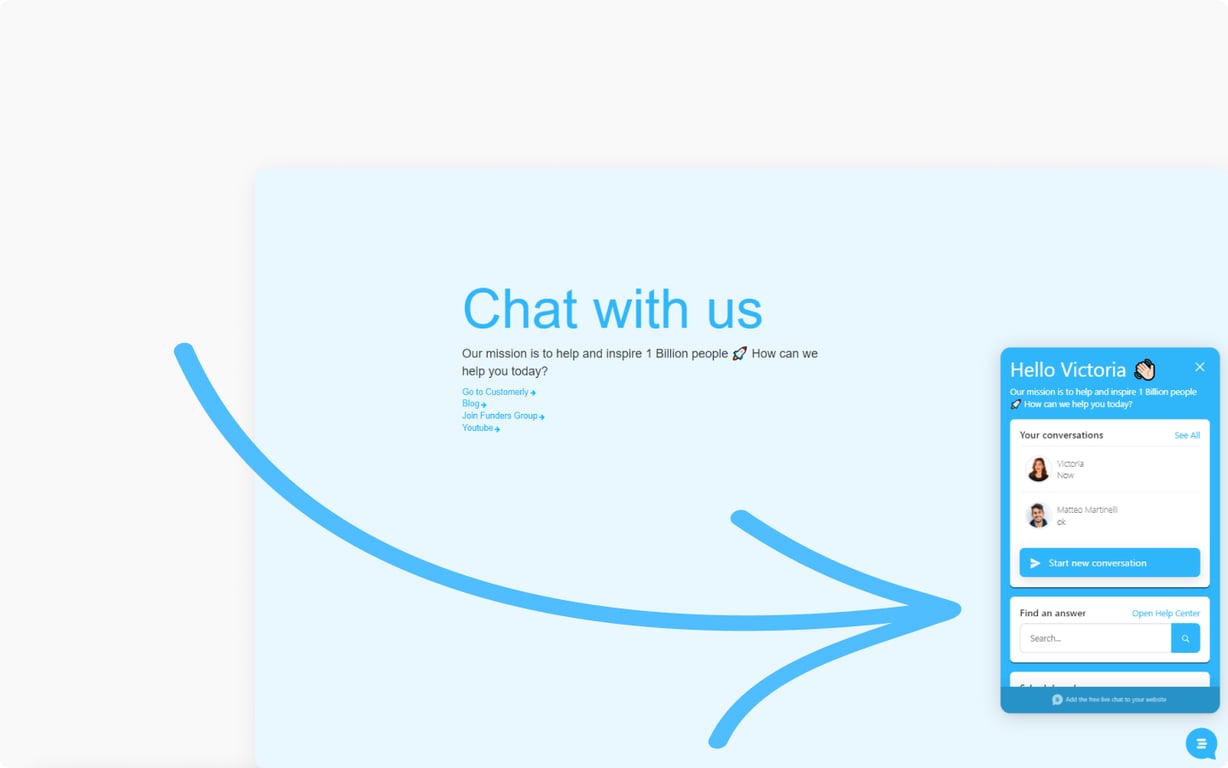
The page shows your Chat with us headline and opens the live chat next to it, where customers see their conversations, start a new one or search for an answer.

A Chat with us page with a short welcome message and links, and an arrow pointing to the Customerly live chat open beside it, showing recent conversations, a Start new conversation button and a Find an answer search box

Related updates

See the full changelog
New feature

Community templates for emails, surveys, canned responses and chat triggers

You can now start email campaigns, surveys, canned responses and chat triggers from a ready-made community template instead of writing them from a blank page.

  • Start email campaigns from a community template
  • Community templates also cover surveys, canned responses and chat triggers
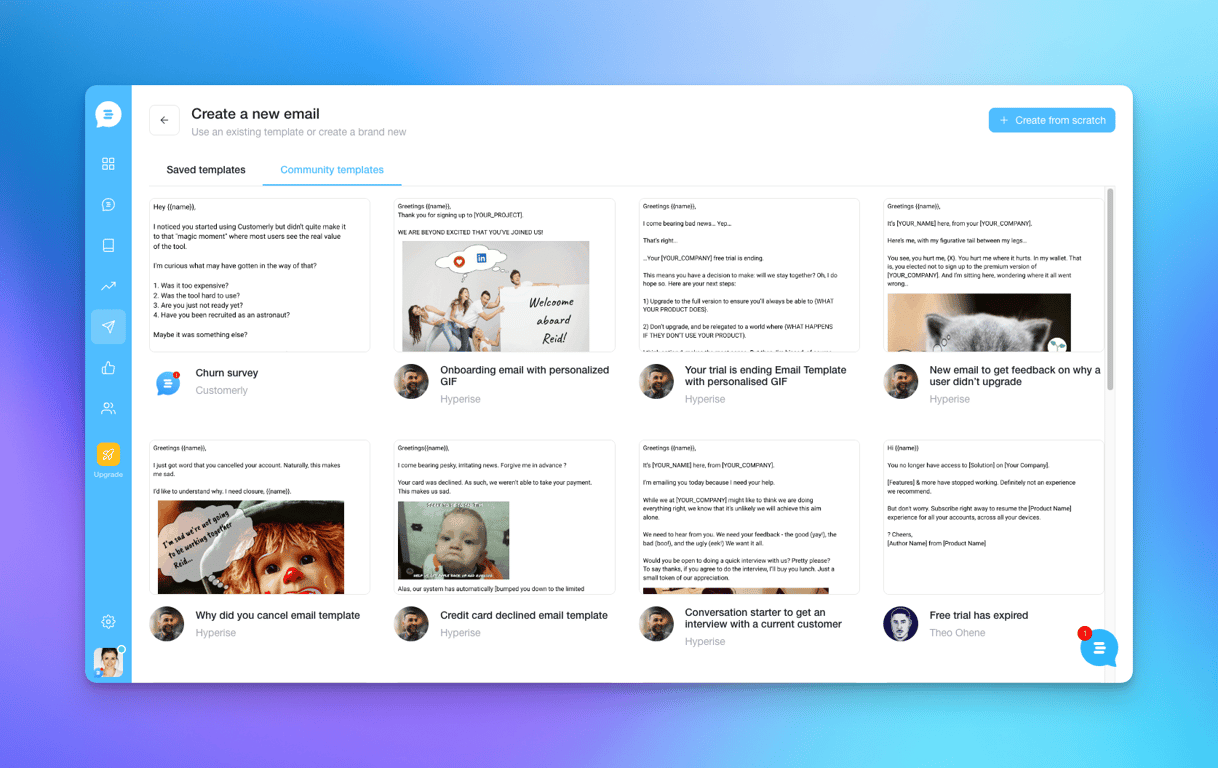
  • Saved templates and community templates sit side by side when you create an email
Email marketingSurveysInboxLive chat & Messenger
The Create a new email screen in Customerly with the Community templates tab open, showing ready-made emails such as a churn survey, an onboarding email and a trial-ending email
New feature

Chatflows: automate chat events and actions based on user behavior

Chatflows bring Customerly's workflow concept to conversations, so you control chat events and actions based on user behavior, starting with a chat bot, NPS and CSAT.

  • Chatflows apply the workflow concept to conversations
  • Full control of chat events and actions based on user behavior
  • Launch features: chat bot, NPS in chat and CSAT at the end of the conversation
Flows & automationLive chat & Messenger
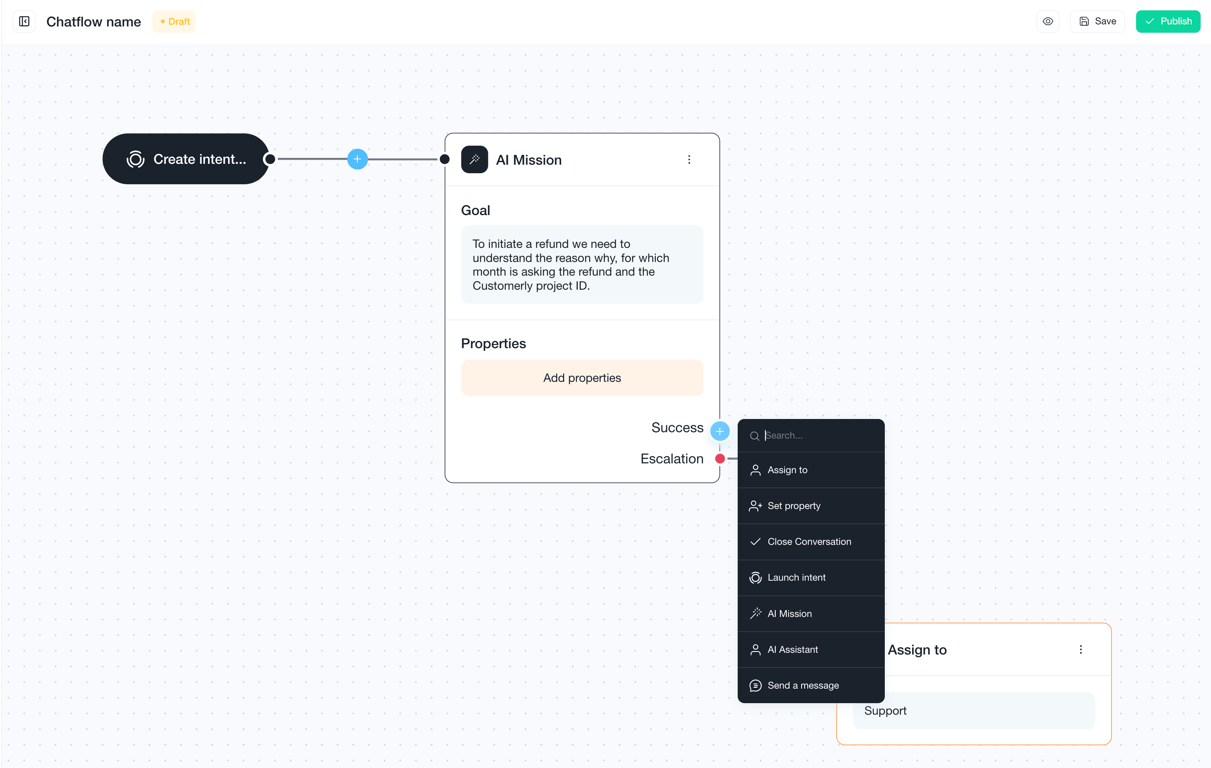
Chatflow editor with an intent starting point connected to an AI Mission that collects refund details, and a menu of next actions such as Assign to, Set property and Close Conversation
New feature

Automatic translation in the live chat for your customers

Automatic translation now works on the customer side of the Customerly live chat, so the end users who chat with your team get the conversation translated.

  • Automatic translation available to end users in the live chat
  • Translation happens on the customer's side of the conversation
Live chat & Messenger

AI Support That Sets You Apart.
Start Leading Today.

AI Support Software