New featureMore from December 2023

Chatflows: automate chat events and actions based on user behavior

Chatflows bring Customerly's workflow concept to conversations, so you control chat events and actions based on user behavior, starting with a chat bot, NPS and CSAT.

In short

  • Chatflows apply the workflow concept to conversations
  • Full control of chat events and actions based on user behavior
  • Launch features: chat bot, NPS in chat and CSAT at the end of the conversation

Chatflows give you full control of chat events and actions based on user behavior.

How chatflows work

Chatflows use the same workflow concept you already use to build flows. The only difference is that chatflows are related to conversations.
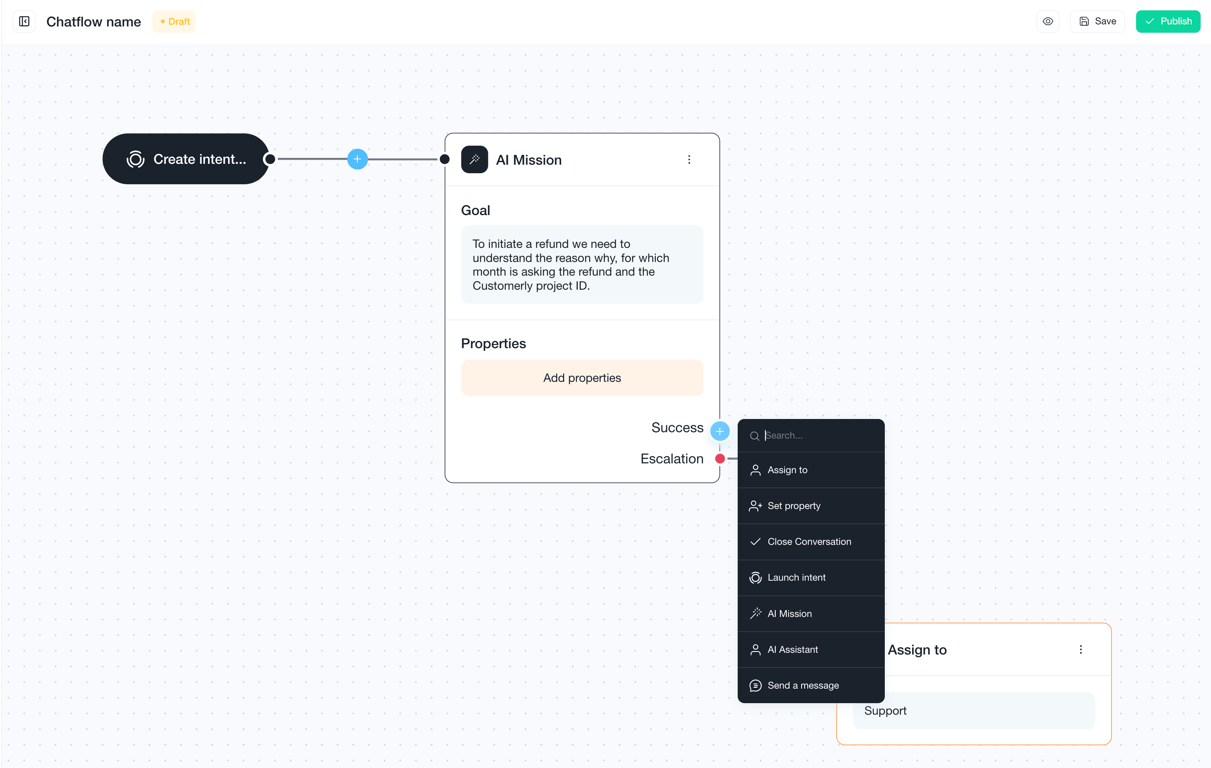
Chatflow editor with a "Create intent" starting point connected to an AI Mission whose goal is to collect the refund reason, month and project ID; a menu of next actions lists Assign to, Set property, Close Conversation, Launch intent, AI Mission, AI Assistant and Send a message

Features in chatflows

  • Chat bot
  • NPS in chat
  • CSAT at the end of the conversation

Ideas shared with this update

The update also listed ideas being explored for chatflows:

  • Live chat bot
  • Agent statuses
  • Preselecting the team to contact from the live chat
  • Frequently asked questions inside the live chat
  • Random assignment to teammates

Related updates

See the full changelog
New feature

A faster, lighter Messenger with chatflows, in-chat CSAT and NPS surveys

The new Messenger, measured 30% faster at launch, is lighter and adds message formats, inline CSAT, NPS surveys, homepage logos, Help Center popups and chatflows.

  • Measured 30% faster at launch, and lighter than the previous Messenger
  • Message options: notification, banner or full screen
  • Inline CSAT at the end of conversations, plus NPS surveys
  • Your logo on the Messenger homepage and contextual Help Center article popups
  • Chatflow capabilities inside the Messenger
Live chat & MessengerSurveysFlows & automationHelp Center
New feature

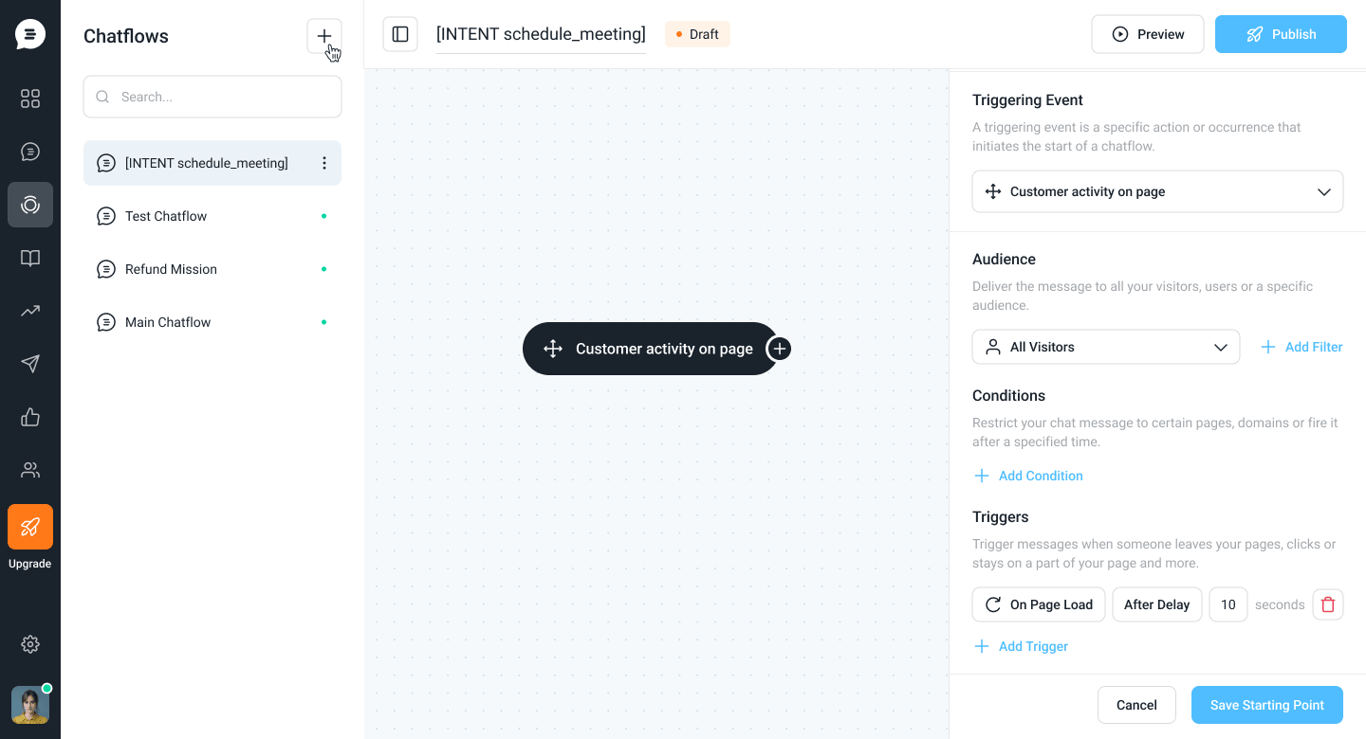
Customer activity messages are now part of Chatflows

Legacy chat messages now live inside Chatflows, so an engaging message can lead into a flow that gathers information, assigns the chat to AI, or automates more.

  • Legacy chat messages are now available inside Chatflows
  • New chatflow starting point: Customer activity on page
  • Connect a message to a flow that gathers info, assigns to AI or automates more
Flows & automationLive chat & Messenger
Chatflow editor with a Customer activity on page starting point; the side panel sets the audience, conditions and a trigger on page load after a 10-second delay
New feature

Create engagement notifications and banners for your customers

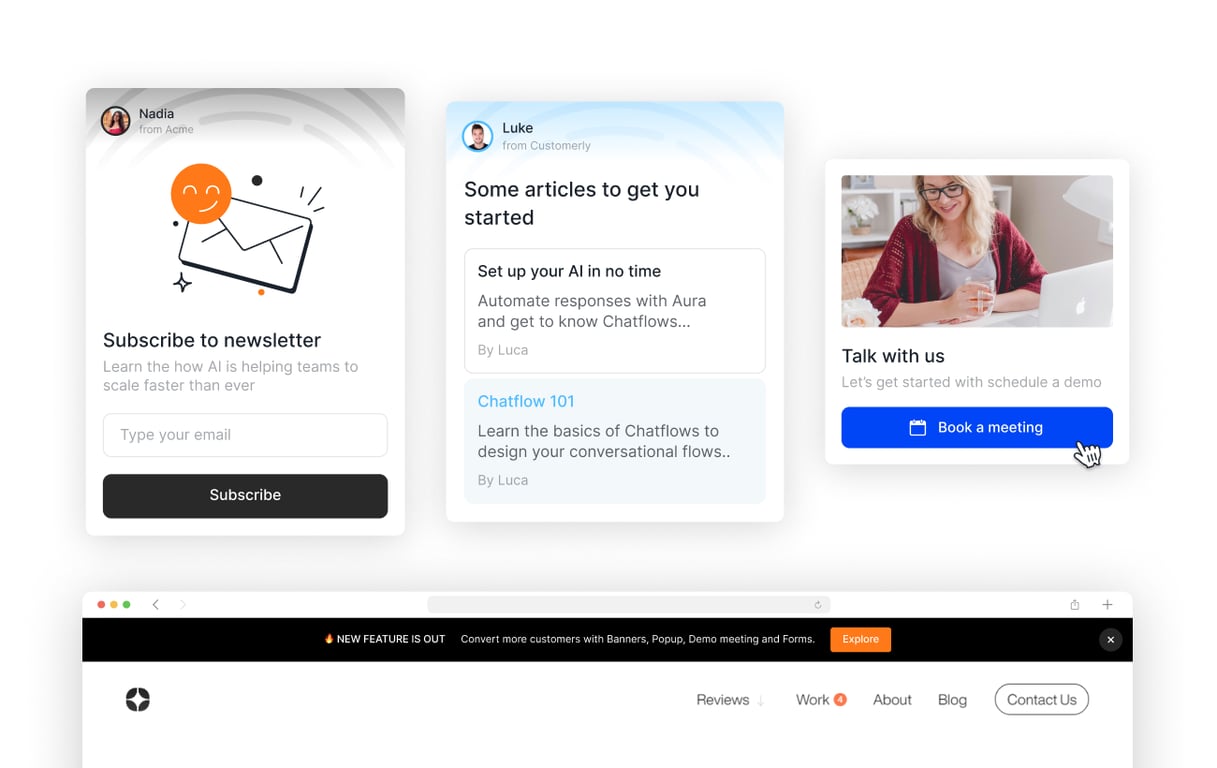
You can now create engagement notifications and banners for your customers, and customize each one with your own message, buttons, images and articles.

  • Create several engagement notifications or banners for your customers
  • Customize the message, buttons, images and articles in each one
Live chat & MessengerFlows & automation
Examples of engagement notifications: a newsletter signup card, a card suggesting articles, a Book a meeting card with a photo, and a banner across the top of a website with an Explore button

AI Support That Sets You Apart.
Start Leading Today.

AI Support Software