

Support, onboard and retain your mobile users with AI
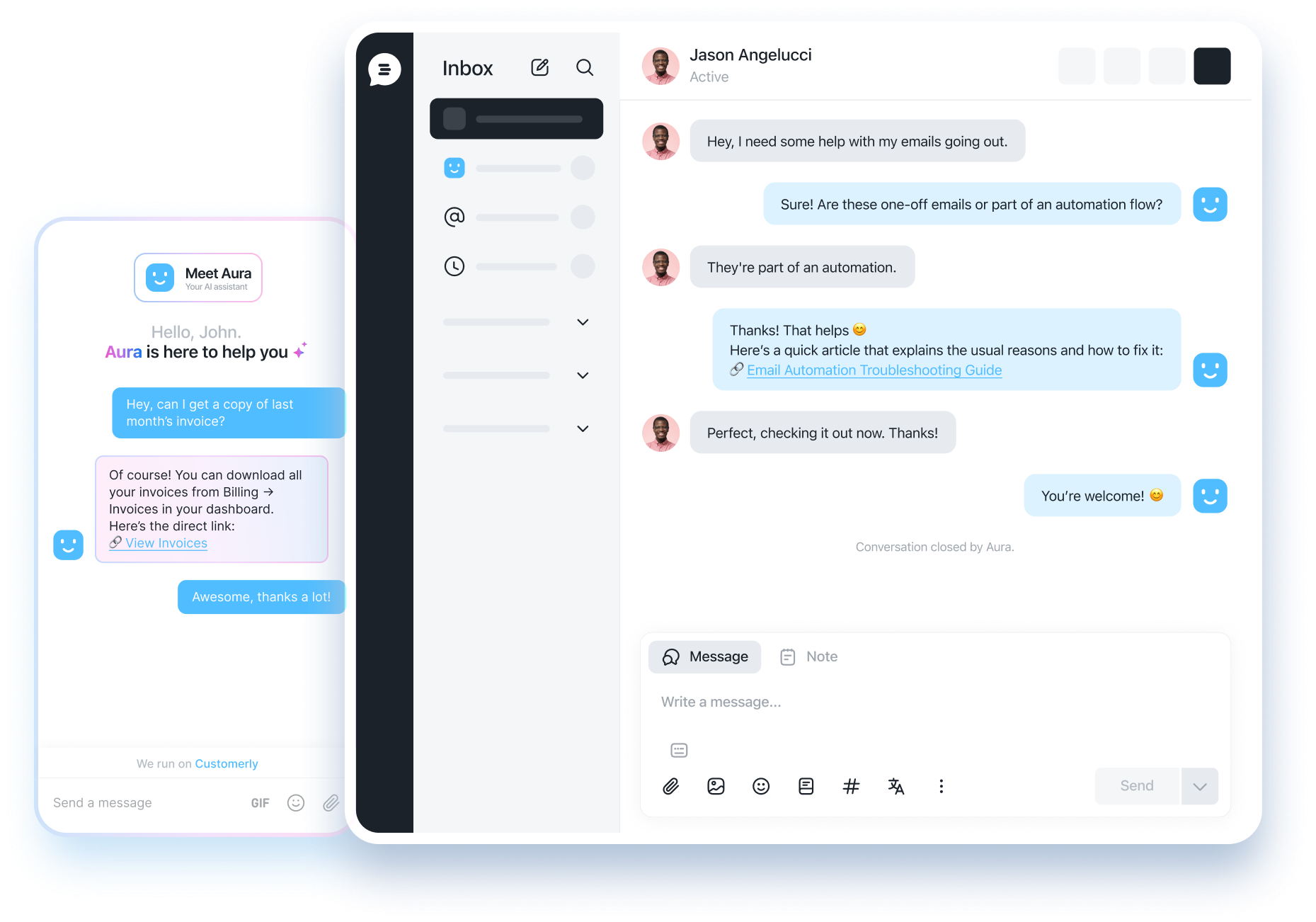
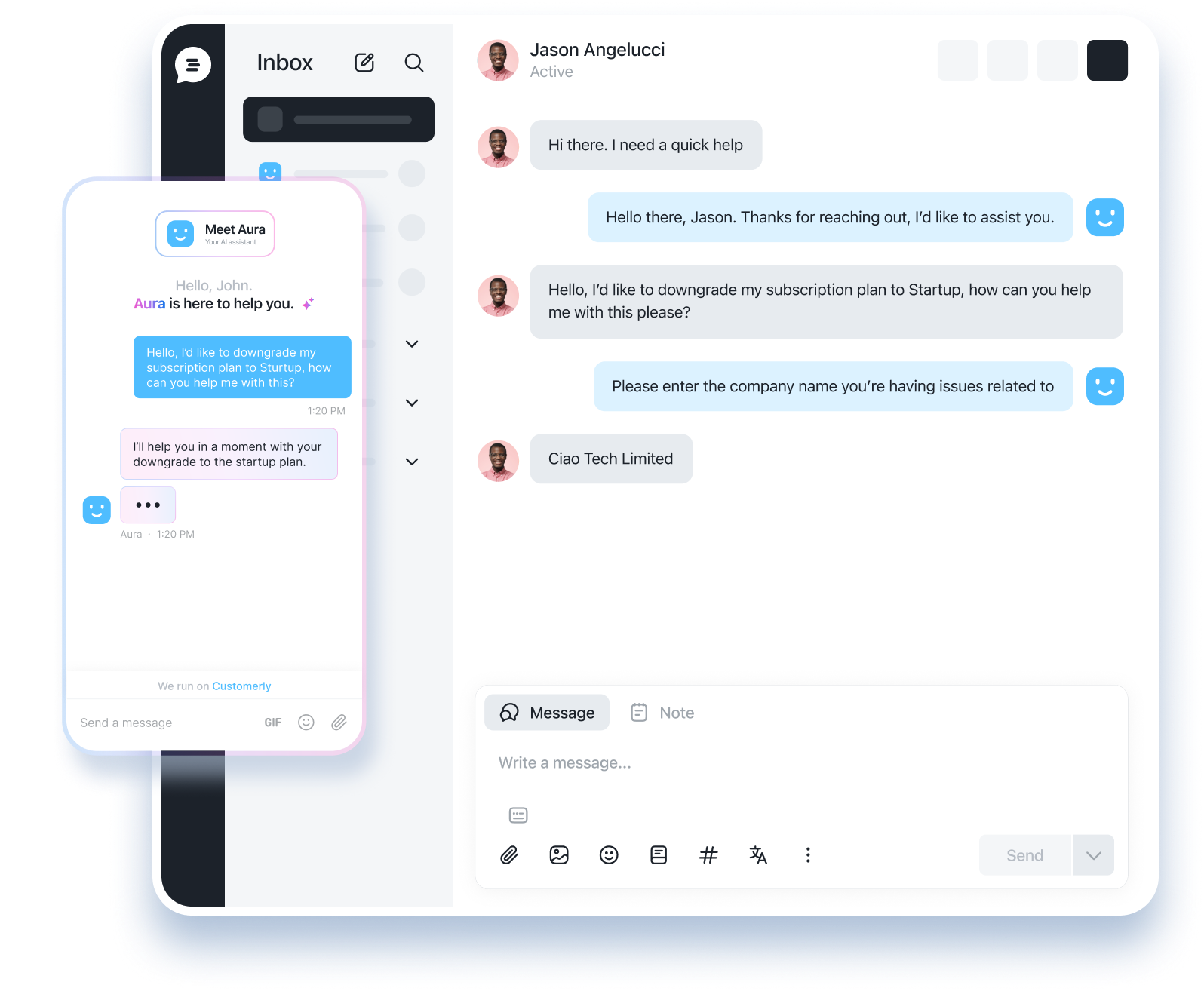
The Customerly Mobile SDK brings AI live chat, Aura AI agent, help center, surveys and video calls inside your iOS, Android and React Native app. A few lines of code, the same inbox your team already uses.








Built for the moments that decide if a user stays
Mobile users don't file tickets. They tap once, wait ten seconds, then uninstall. The SDK puts the answer, the guide and the survey where they already are.
Resolve most questions before they reach your team
Aura reads your help center and answers inside the app in the user's language. Humans step in only when confidence is low, in the same inbox you already use.
Guide new users at the moment they get stuck
Track the events that matter, then trigger a chat, a survey or an email from the same segments and chatflows you run on web.
Hear from users before they churn
Run NPS and CSAT surveys in-app, spot low scores by segment and open a conversation while the user is still in your product.
The whole Customerly platform, inside your app
Everything your web users get, your mobile users get too. Same conversations, same customer profile, same team.
AI live chat
Real-time conversations with your team inside the app, with attachments, typing indicators and read receipts.
Learn moreAura, the AI support agent
Answers repetitive questions end-to-end in any language, 24/7, and hands off to a human with full context when needed.
Learn moreIn-app help center
Users search and read your articles without leaving the app, so they fix things on their own before opening a chat.
Learn moreIn-app surveys
NPS, CSAT and custom surveys shown to the right segment at the right moment, right after the action that matters.
Video calls
Escalate a chat to a real-time video call when a screen says more than a message.
User profiling and event tracking
Identify users, track in-app events and attributes, and feed the same segments, chatflows and campaigns you use on web.
Pick your platform, paste one line
Add the dependency, call load with your app ID and open the messenger from any button. The integration guide covers identification, events and notifications.
dependencies: [
    .package(url: "https://github.com/customerly/CustomerlyiOSSDK.git", from: "1.3.0")
]pod 'Customerly'Opens a new chat with a ready-made prompt that reads the iOS README, adds the dependency and wires the messenger into your project.
Building with Flutter? Bridge the native iOS and Android SDKs with platform channels. The Flutter integration guide shows the full setup.
One messenger, every platform
Each SDK is a lightweight native wrapper around the Customerly messenger. You get native integration where it matters and a single product everywhere else, so web and mobile never drift apart.
Native shell, shared messenger
The SDK handles what only native code can: the view hierarchy, local notifications, unread badges, deep links and permissions. The messenger itself is the same one that runs on your website.
Features ship to mobile the same day
When we release a new Aura capability, survey type or help center layout on web, it is live in your app the same day. No SDK update, no app store review.
One customer, one profile
A user who writes from your app and later from your website is the same contact, with the same conversation history, attributes and events. Your team sees one thread, not three.
Free SDK. One plan for web and mobile.
The SDKs are open source and free. Your Customerly plan covers every channel, and Aura conversations are billed at a flat rate on every paid plan, whether they start in a browser or in your app.

Mobile SDK FAQ
What mobile teams ask before adding Customerly to their app.
Customerly ships native SDKs for iOS (Swift Package Manager and CocoaPods) and Android (Maven Central), plus a React Native SDK on npm. Flutter apps can bridge the native SDKs with platform channels by following the Flutter integration guide in the docs.
Today the SDK shows local notifications for new messages while the app is in the foreground. Push notifications via APNs and Firebase Cloud Messaging for background and killed states are on the roadmap. The React Native SDK lets you plug in your own notification library.
Not yet. Chatflow triggers based on the page a visitor is viewing are not evaluated on mobile, because there is no page URL inside a native app. Event- and attribute-based triggers work: track an event from the SDK and the same segments, chatflows and campaigns you use on web will fire.
The iOS, Android and React Native SDKs are open source under the Apache License 2.0, so you can use them in commercial and closed-source apps. Older releases (iOS up to 1.1.1, Android up to 1.1.0, React Native up to 2.0.1) were published under GPLv3; upgrade to the latest version to pick up the Apache terms.
The SDKs are free and open source. You pay for your Customerly plan, which starts at $19 per seat per month, and Aura AI conversations are billed at a flat $0.45 each on every paid plan. There is no extra charge for mobile users or for the number of apps you install the SDK in.
Rarely. The SDK is a lightweight native wrapper around the Customerly messenger, so every feature we ship on web lands in your app the same day without an SDK update. You only update the SDK for native capabilities such as notifications, deep links or new platform APIs.
Most teams are live in under an hour. Add the dependency, call load with your app ID, identify the user and attach the messenger to a button. The integration guide in the docs walks through each platform step by step.