New featureMore from June 2024

Customer unresponsive: a new starting point for chatflows

Chatflows can now start when a customer has been unresponsive for a while, so you can automate the next step of a conversation that has gone quiet.

In short

  • New chatflow starting point: Customer unresponsive
  • Set the waiting time in hours or days on the starting point

You can now create an automation that runs whenever a customer has been unresponsive for a while. In the chatflow editor, choose Customer unresponsive as the starting point.

Start a chatflow when a customer goes quiet

Set the starting point's triggering event to Customer unresponsive, then choose the waiting time in hours or days. Connect the next blocks to decide what happens when the customer doesn't reply.
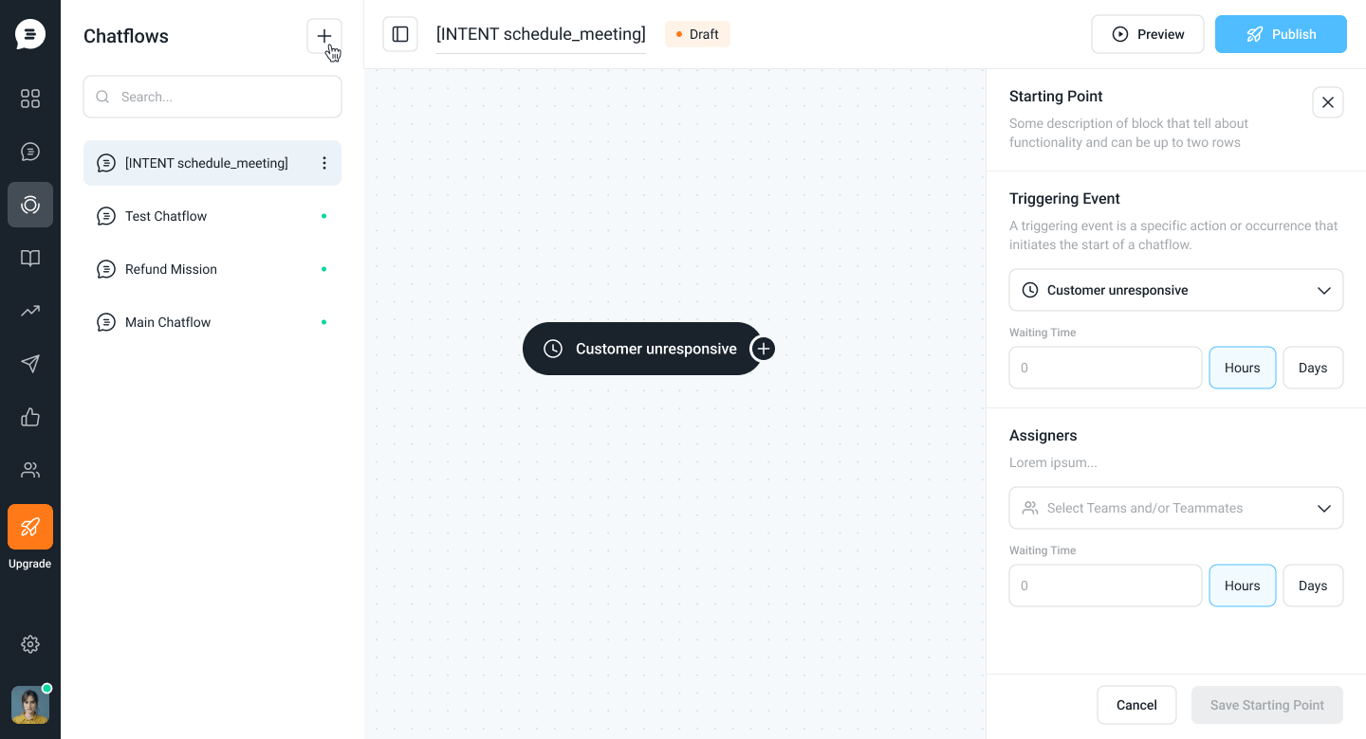
Chatflow editor with a Customer unresponsive starting point on the canvas; the side panel shows Customer unresponsive as the triggering event, a waiting time in hours or days, and an Assigners field to select teams or teammates

Related updates

See the full changelog
New feature

Customer activity messages are now part of Chatflows

Legacy chat messages now live inside Chatflows, so an engaging message can lead into a flow that gathers information, assigns the chat to AI, or automates more.

  • Legacy chat messages are now available inside Chatflows
  • New chatflow starting point: Customer activity on page
  • Connect a message to a flow that gathers info, assigns to AI or automates more
Flows & automationLive chat & Messenger
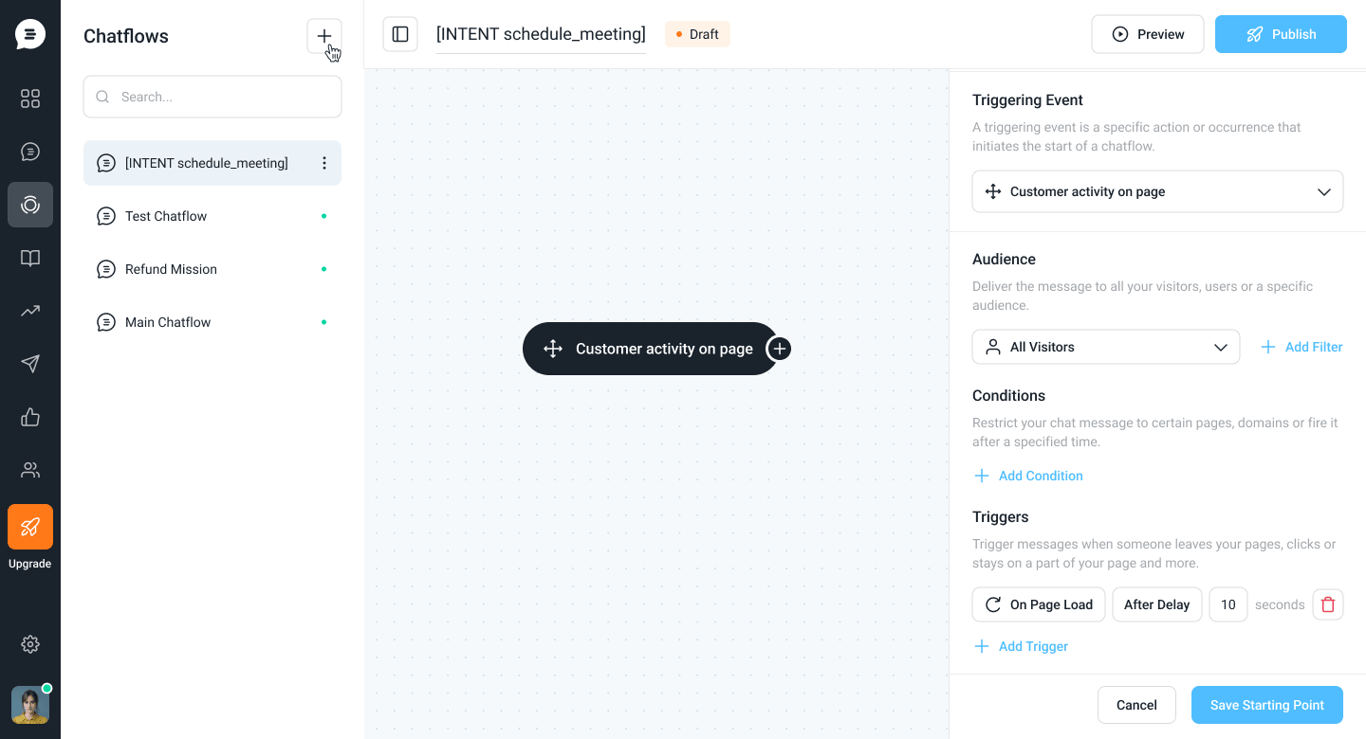
Chatflow editor with a Customer activity on page starting point; the side panel sets the audience, conditions and a trigger on page load after a 10-second delay
New feature

A faster, lighter Messenger with chatflows, in-chat CSAT and NPS surveys

The new Messenger, measured 30% faster at launch, is lighter and adds message formats, inline CSAT, NPS surveys, homepage logos, Help Center popups and chatflows.

  • Measured 30% faster at launch, and lighter than the previous Messenger
  • Message options: notification, banner or full screen
  • Inline CSAT at the end of conversations, plus NPS surveys
  • Your logo on the Messenger homepage and contextual Help Center article popups
  • Chatflow capabilities inside the Messenger
Live chat & MessengerSurveysFlows & automationHelp Center
New feature

Create engagement notifications and banners for your customers

You can now create engagement notifications and banners for your customers, and customize each one with your own message, buttons, images and articles.

  • Create several engagement notifications or banners for your customers
  • Customize the message, buttons, images and articles in each one
Live chat & MessengerFlows & automation
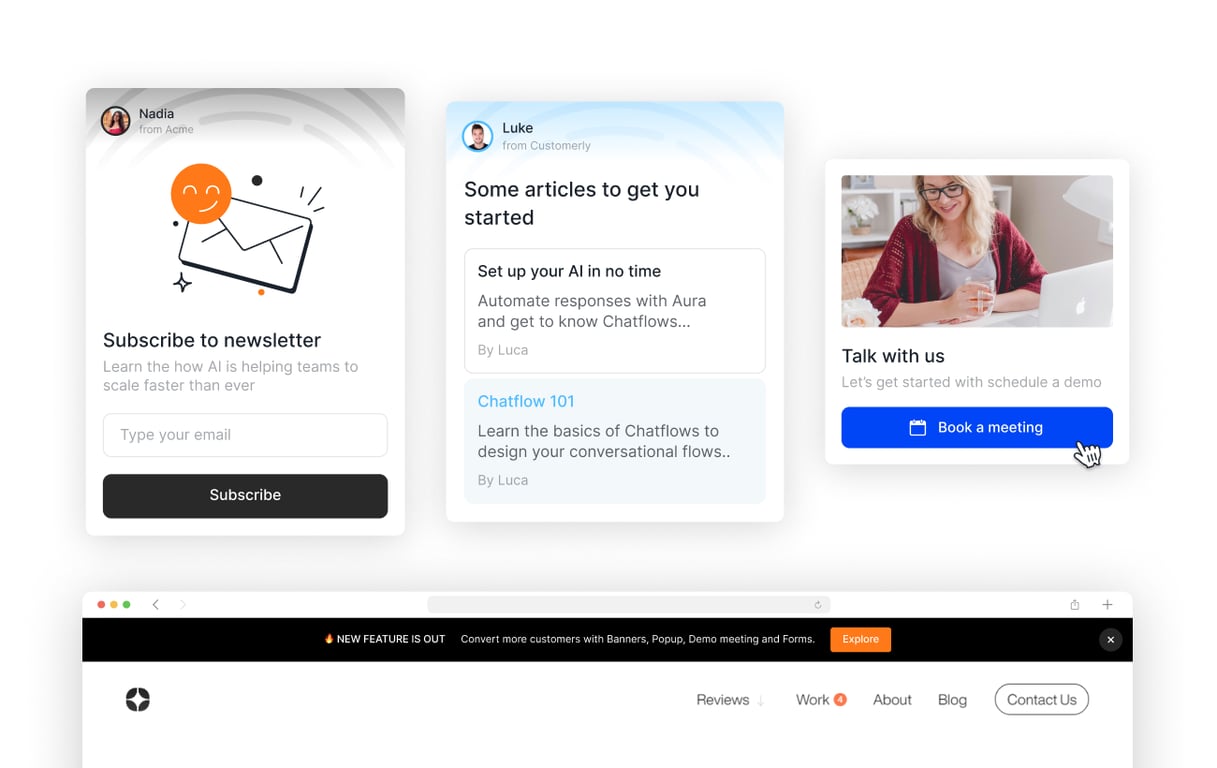
Examples of engagement notifications: a newsletter signup card, a card suggesting articles, a Book a meeting card with a photo, and a banner across the top of a website with an Explore button

AI Support That Sets You Apart.
Start Leading Today.

AI Support Software