Product recapMore from June 2026

June 2026: business-hours flows, a Start Conversation node and flow stats

Flows can now run only during or outside business hours, branch on the time of day, open conversations on their own and show stats for every node.

In short

  • Schedule a flow by business hours, with time windows that can run across midnight
  • A business hours node splits one flow into an inside-hours and an outside-hours path
  • New Start Conversation node lets a flow open a conversation with a specific audience
  • Flow stats cover banners, popups and visitor-facing flows in the messenger
  • Sound notifications are back for inbox chats

In June, flows learned what time it is: you can schedule a flow by business hours, branch it with a business hours node, let it open conversations on its own and see stats for every node. Aura can now cover nights and weekends automatically while your team handles the day.

Schedule flows by business hours

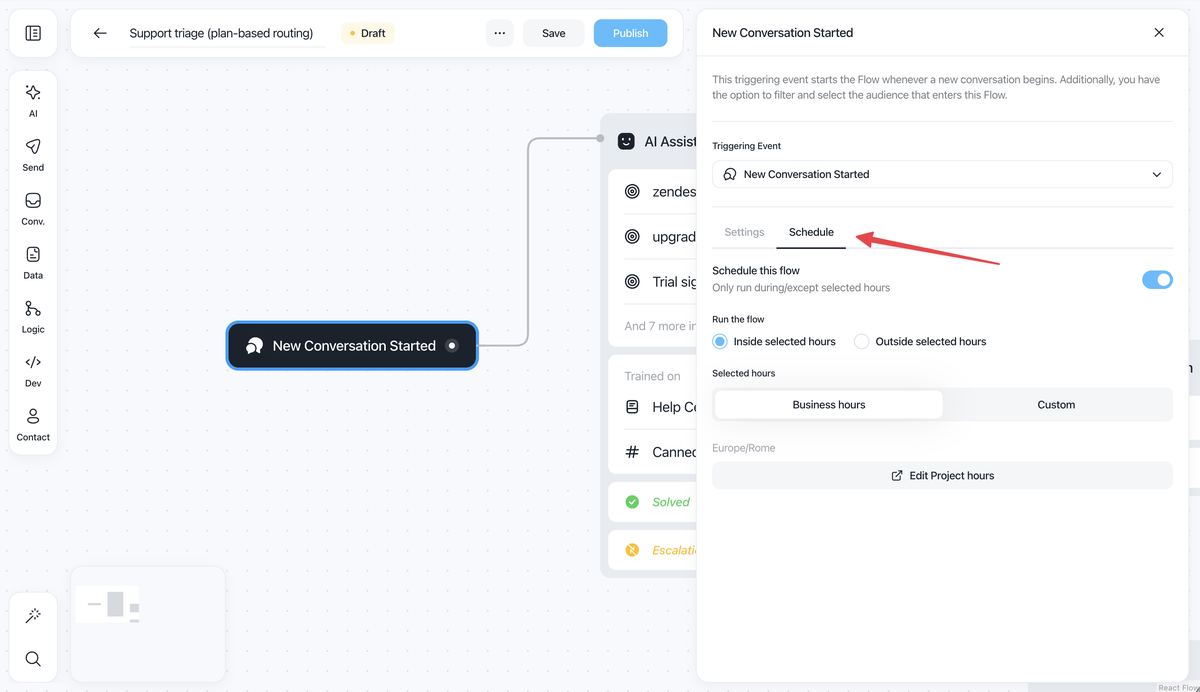
Choose exactly when a flow runs, with time windows (even across midnight, like 18:00 to 09:00), days of the week, and an "active only during" or "active except during" mode. Aura covers nights and weekends automatically while your team handles the day.

  • Released: June 19, 2026
  • Outside the schedule: the conversation moves to the next matching flow.
  • Existing flows: stay always on.

Flow builder with the New Conversation Started trigger open on the new Schedule tab, showing the Schedule this flow toggle, inside or outside selected hours, and Business hours or Custom hours

Branch a flow with the business hours node

The inside or outside business hours node gives one flow two paths: connect customers with your team during the day, and let Aura collect details for a follow-up at night. Use your project's hours or custom hours on the node, which suits teams covering different regions.

  • Released: June 25, 2026
  • Schedule or node: the schedule decides whether a flow starts, the node decides what it does once it has started.
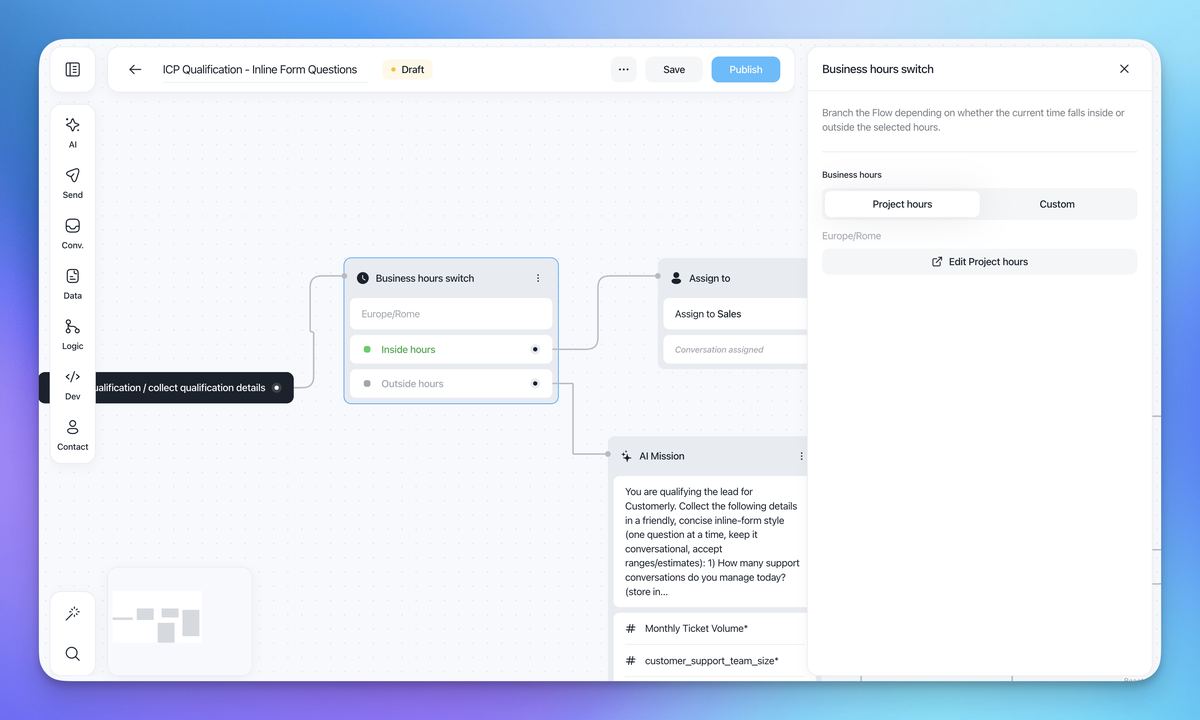
Business hours switch node in the flow builder, routing inside hours to Assign to Sales and outside hours to an AI Mission, with a panel to choose Project hours or Custom hours

Start conversations from a flow

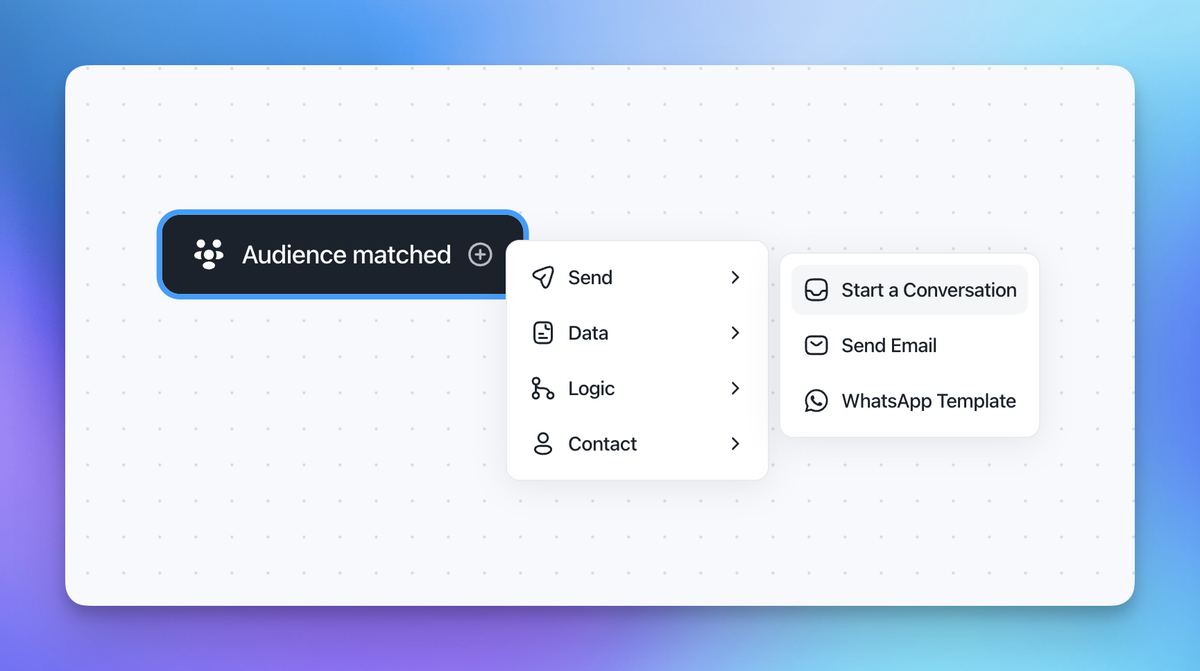
Stop waiting for customers to write in. With the new Start Conversation node, a flow can open a real conversation with a specific audience: new users who haven't finished setup, customers close to renewal, or a segment after a product change.

  • Released: June 19, 2026

Flow builder menu on an Audience matched trigger, with Send expanded to show Start a Conversation, Send Email and WhatsApp Template

Flow stats now cover visitors

Statistics now include every banner, popup and visitor-facing flow in the messenger, plus the whole journey before conversion. Keep what moves people toward converting and cut what doesn't.

  • Released: June 2026, with stats on each flow node from June 19
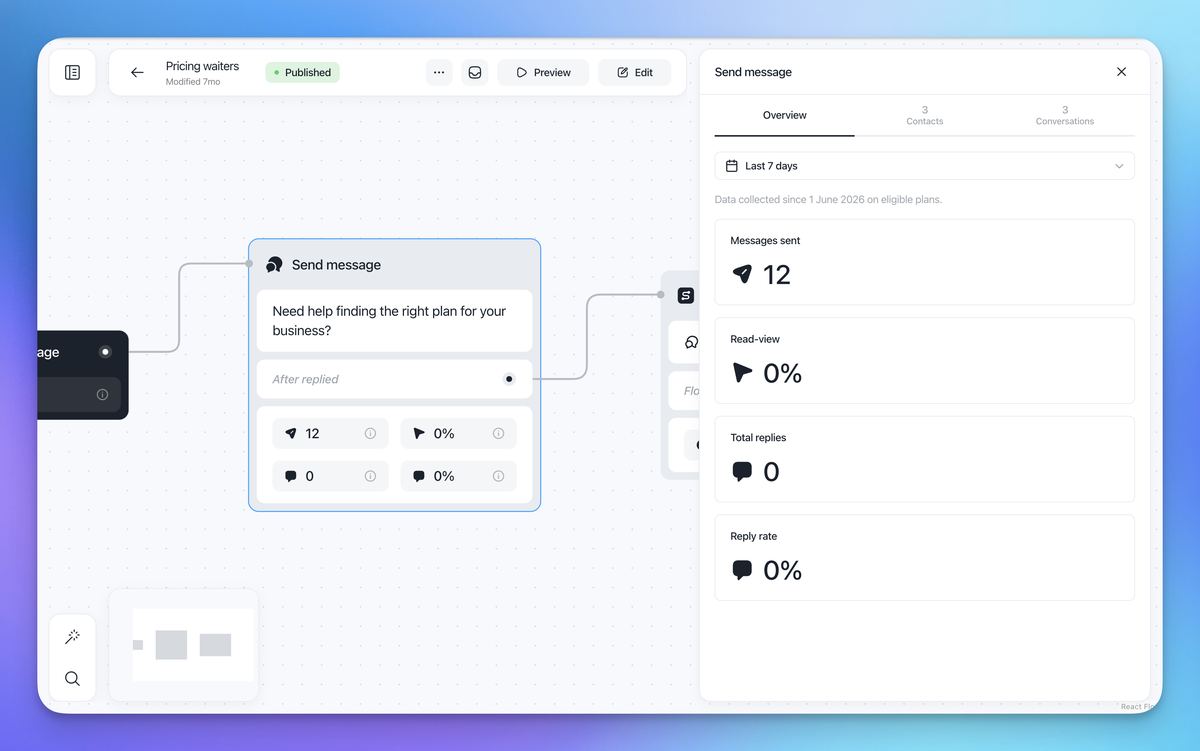
Published flow with stats on a Send message node and a side panel showing messages sent, read-view, total replies and reply rate for the last 7 days

Sound notifications are back for inbox chats

New inbox chats play their sound notification again.

  • Released: June 5, 2026

Also in June

  • REST API node: the JSON body is validated, and inserting variables is easier (June 8).
  • WhatsApp limit, made visible: a message shows the limit of new conversations with unique contacts you can start on WhatsApp in 24 hours (June 12).
  • Surveys in the mobile SDK: surveys shown inside your app now have a close button (June 15).
Related updates

See the full changelog
Product recap

May 2026: launch flows from conversations and review Aura's replies

Launch any flow from inside a conversation, rate and flag Aura's replies, tune how she answers, and route work through new public API endpoints for inboxes and segments.

  • Launch any flow from inside an open conversation and let Aura take over
  • AI Flow Builder generates multiple coordinated flows and adds an On-Demand trigger
  • Rate and flag Aura's replies, with ratings rolled up under Insights → AI Effectiveness
  • Choose whether Aura includes images, videos or help center links, and her reply length
  • Delete a conversation permanently across channels for sensitive data and GDPR
Flows & automationAura AI agentInboxReports & insightsAPI & developers
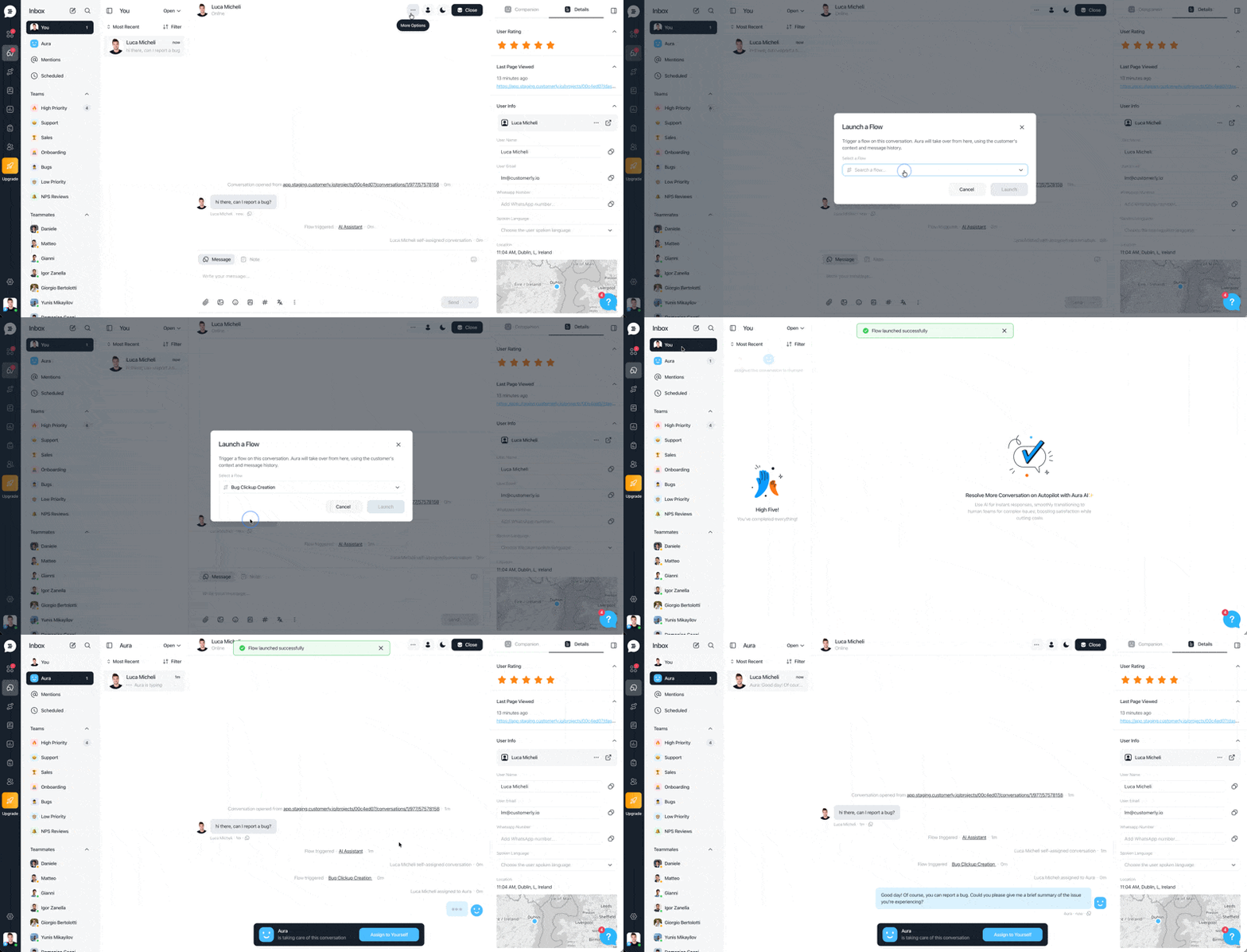
Inbox conversation where a teammate opens More options, picks Launch a Flow, selects a flow from the list, and Aura takes over the conversation once the flow launches
Product recap

Q1 2026: unified Flows, WhatsApp outbound and an MCP server for Claude Code

Workflows and Chatflows merged into one Flows builder, WhatsApp template messages go out from Flows, and a new MCP server connects Customerly to Claude Code.

  • Workflows and Chatflows are now one Flows builder, with existing automations migrated
  • Send WhatsApp template messages from Flows and manage WhatsApp chats in your inboxes
  • AI Flow Builder turns a plain description into a complete flow, ready to publish
  • MCP server connects Customerly to Claude Code to extract data and work with records
  • Knowledge now supports documents beyond Help Center articles, with sync APIs
Flows & automationWhatsApp & channelsAPI & developersAura AI agentInbox
New feature

AI Assistant, AI Missions and Chatflows: automate support with Aura

Aura, the AI Assistant, answers and escalates questions, AI Missions automate tasks like refunds, and new AI tools help teammates reply, summarize and write articles.

  • AI Assistant: Aura understands complex queries, replies in any language and escalates
  • AI Missions automate tasks like refund requests and store conversation properties
  • Chatflows offer customers choices, assign conversations or close chats
  • AI Reply, Write for Me, AI Summarize and Create Articles with AI for teammates
Aura AI agentFlows & automationInboxHelp Center

AI Support That Sets You Apart.
Start Leading Today.

AI Support Software