Views let you save a filtered slice of your inbox so you don't rebuild the same search every time. A view sits in the inbox sidebar and opens with one click, for you alone or for your whole team.
Create a view
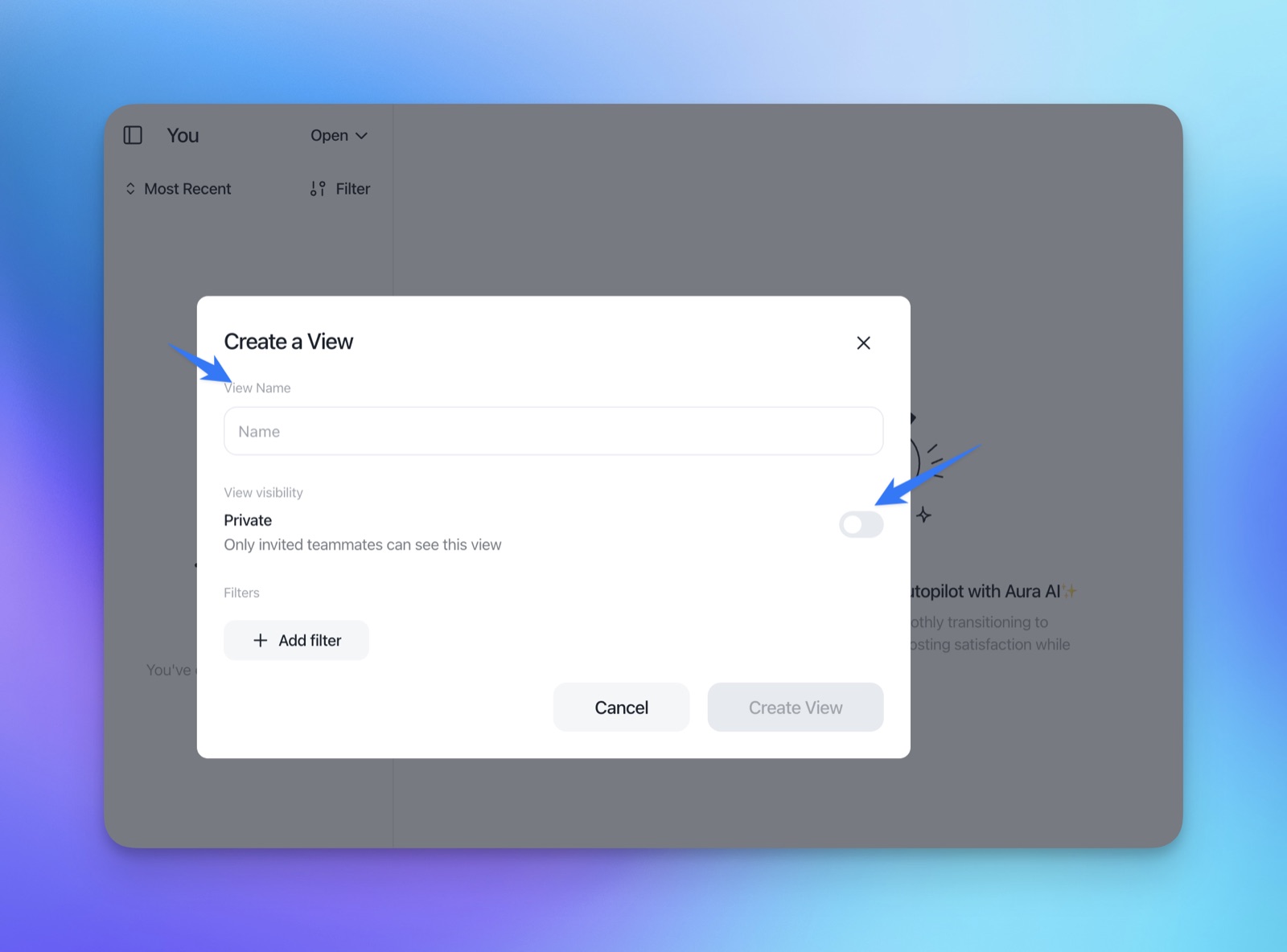
- Where to find it: in the Inbox sidebar, click + next to Views.
- Name and visibility: give the view a clear name, then keep it Private (the default) or share it with every invited teammate.
- Who can change it: only the person who created the view and project owners can edit or delete it. Everyone it is shared with can use it.
- Released: July 3, 2026
Filter by conversation or by contact
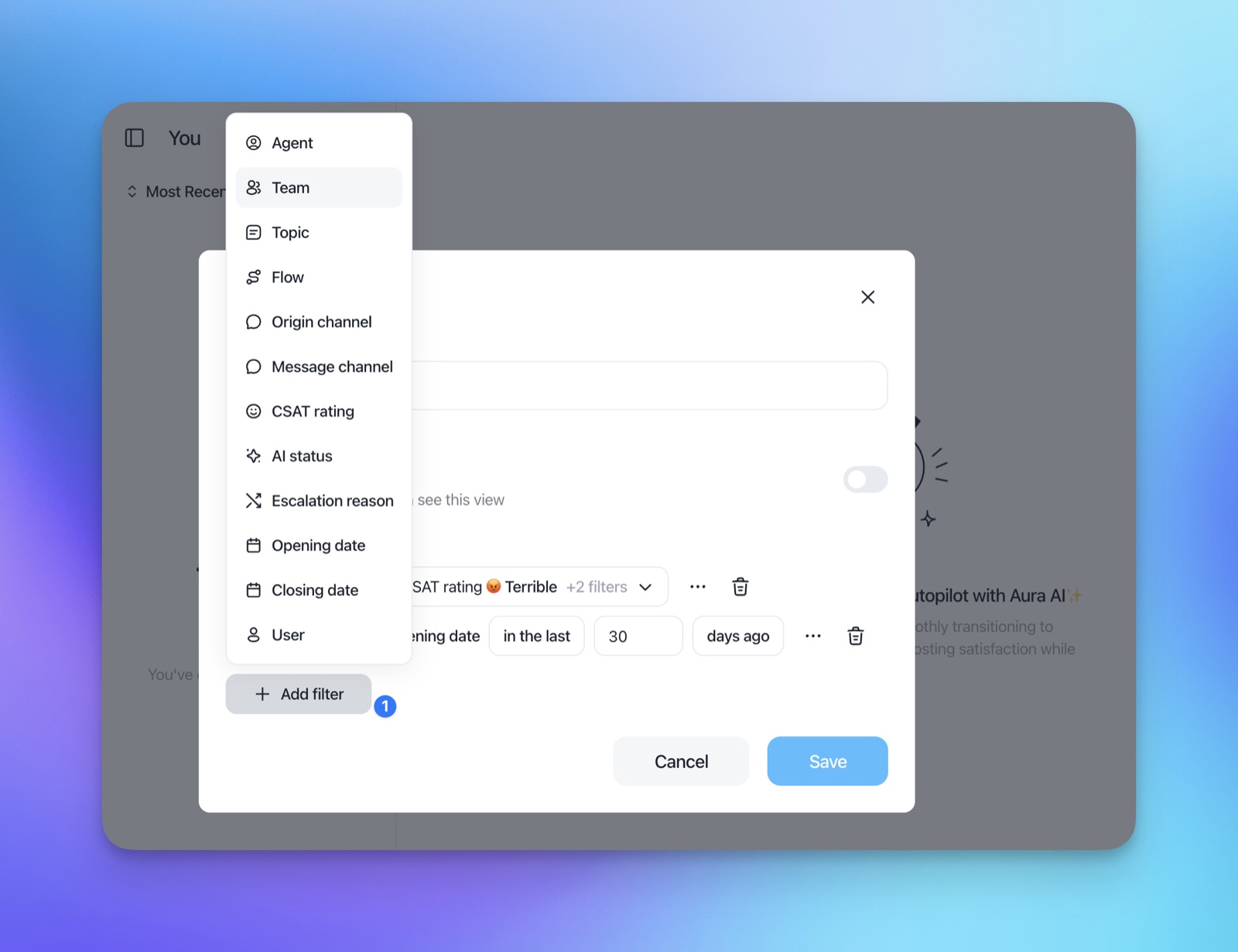
Click Add filter to build the view. Each filter narrows the results further.
- Conversation filters: agent, team, topic, flow, origin channel, message channel, CSAT rating, AI status, escalation reason, opening date, closing date and user.
- Contact filters: property, event, tag, list, campaign and company.
- Relative dates: date filters accept ranges such as "in the last 1 day", so the view stays useful every day.
- Status stays separate: the Open, Snoozed and Closed switch at the top of the inbox still applies on top of the view's filters.
Views to start with
- Closed by an agent today: agent is the teammate, closing date in the last 1 day, then the Closed tab.
- Negative CSAT: CSAT rating is negative, closing date in the last 7 days, shared with the team.
- One client's conversations: company is the client, opening date in the last 30 days.
The full guide is in the Help Center: Views in the Inbox.