New featureMore from January 2021

Open the live chat with a pre-populated message for your users

Your website can now open the live chat with a message already written for the user, for example when they click a Contact us button to ask about a plan.

In short

  • Open the live chat with a message already filled in for the user
  • Example: a Contact us button that pre-fills a request for an Enterprise plan
  • Add it to your website by following the Help Center tutorial

You can now let your users open a conversation with your team in the Customerly live chat with a pre-populated message already in the message box.

How pre-populated messages work

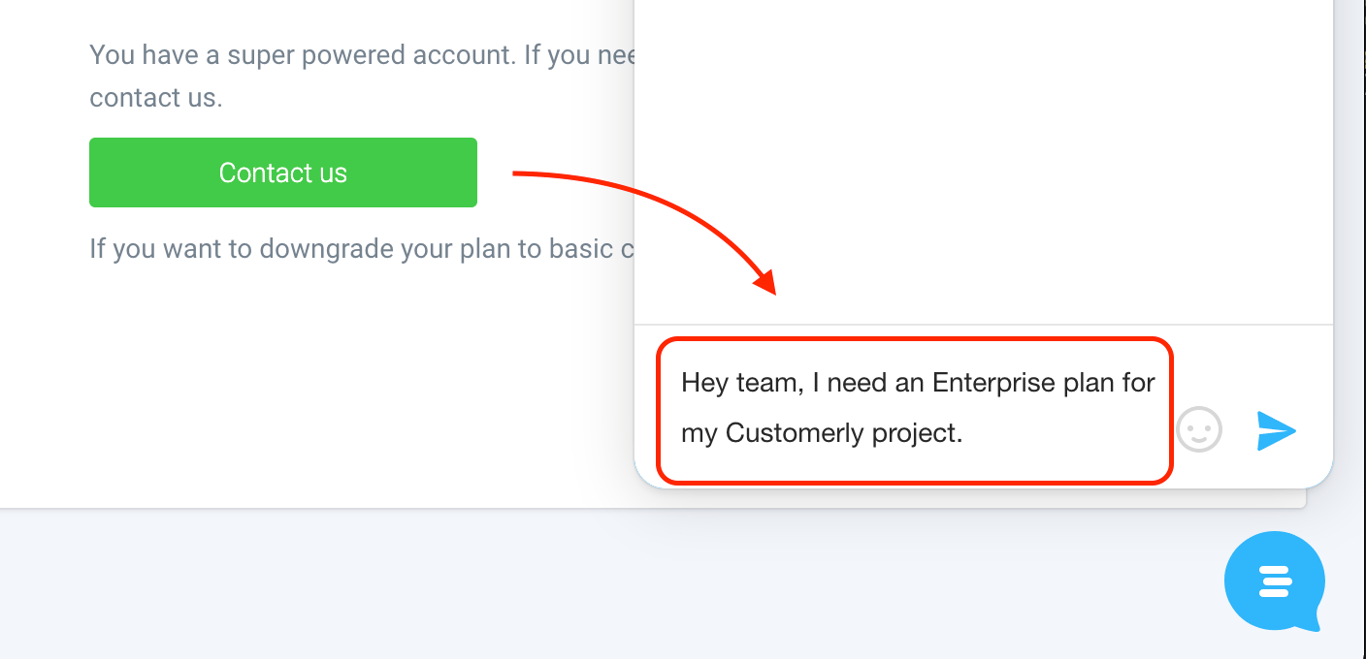
In the example below, a Contact us button opens the live chat with the text "Hey team, I need an Enterprise plan for my Customerly project." already written for the user.

A Contact us button with an arrow to the live chat, whose message box is pre-filled with the text Hey team, I need an Enterprise plan for my Customerly project

Related updates

See the full changelog
New feature

Open Help Center articles in the Messenger from page links or code

The Messenger now recognizes Help Center article links on your pages and opens the article inside the Messenger, and you can open any article with customerly.showArticle.

  • The Messenger recognizes Help Center article links on a page and opens them in the chat
  • Open any article in the Messenger from code with customerly.showArticle
  • The method takes a collection slug, an article slug and an optional locale
Live chat & MessengerHelp CenterAPI & developers
New feature

Help Center AutoSearch suggests articles inside the live chat

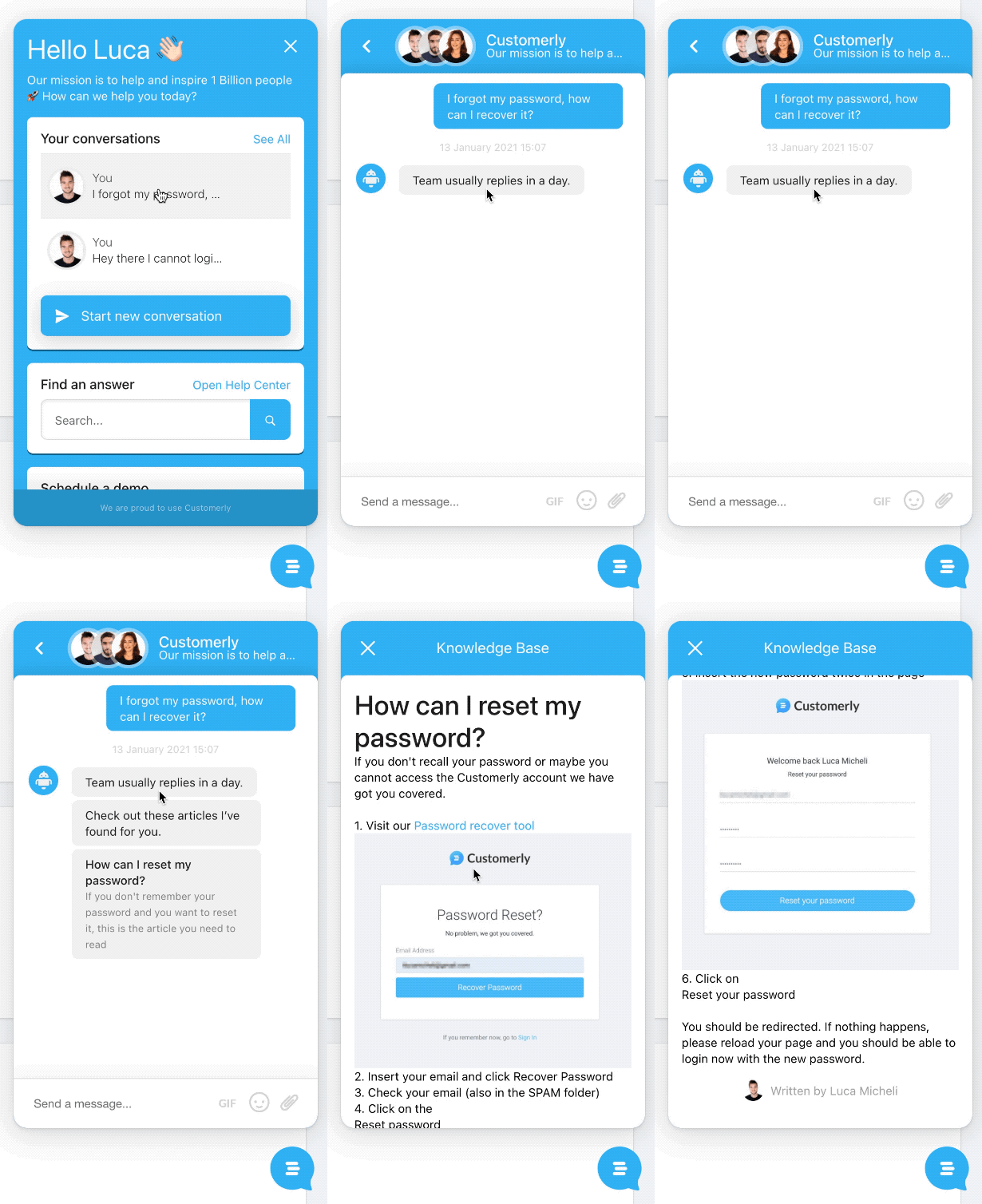
With AutoSearch, the new live chat suggests Help Center articles when a customer opens a new ticket, and the customer can read the article without leaving the chat.

  • The new live chat suggests Help Center articles when a customer opens a new ticket
  • Customers open the suggested article right inside the chat
  • Needs the new live chat, tagged Help Center articles and a published Help Center
Help CenterLive chat & Messenger
Animation of the Customerly live chat: a customer asks how to recover a forgotten password, the chat suggests the article How can I reset my password?, and the article opens inside the chat
Improvement

Live chat script 75% smaller, so the widget loads twice as fast

Our engineering team cut the live chat size by 75%. At the time, the widget needed 1 second instead of 2 to fully load, making it twice as fast on your website.

  • Live chat size reduced by 75%
  • Widget load time during a page load cut from 2 seconds to 1, as measured at the time
  • A lighter live chat improves your overall website experience
Live chat & Messenger
Announcement banner saying the live chat is now 100% faster than yesterday, next to a portrait of a Customerly engineer

AI Support That Sets You Apart.
Start Leading Today.

AI Support Software