New featureMore from March 2021

Filter contact properties by category in the contact table

Choose which properties appear in your contact table by category, such as Basics only, Marketing, Web or Mobile, and see what matters without scrolling sideways.

In short

  • Funnel icon at the top left of the contact table opens the property filter
  • Show properties by category: All, Basics only, Marketing, Web, Mobile or Custom only
  • See the contact properties you need without scrolling horizontally

You can now choose which properties appear in your Customerly contact table by category, so you see the important ones without scrolling horizontally.

Open the property filter from the contact table

Click the funnel icon at the top left of the contact table to select the properties you want to see.

  • Where to find it: Contact Lists → funnel icon at the top left of the table
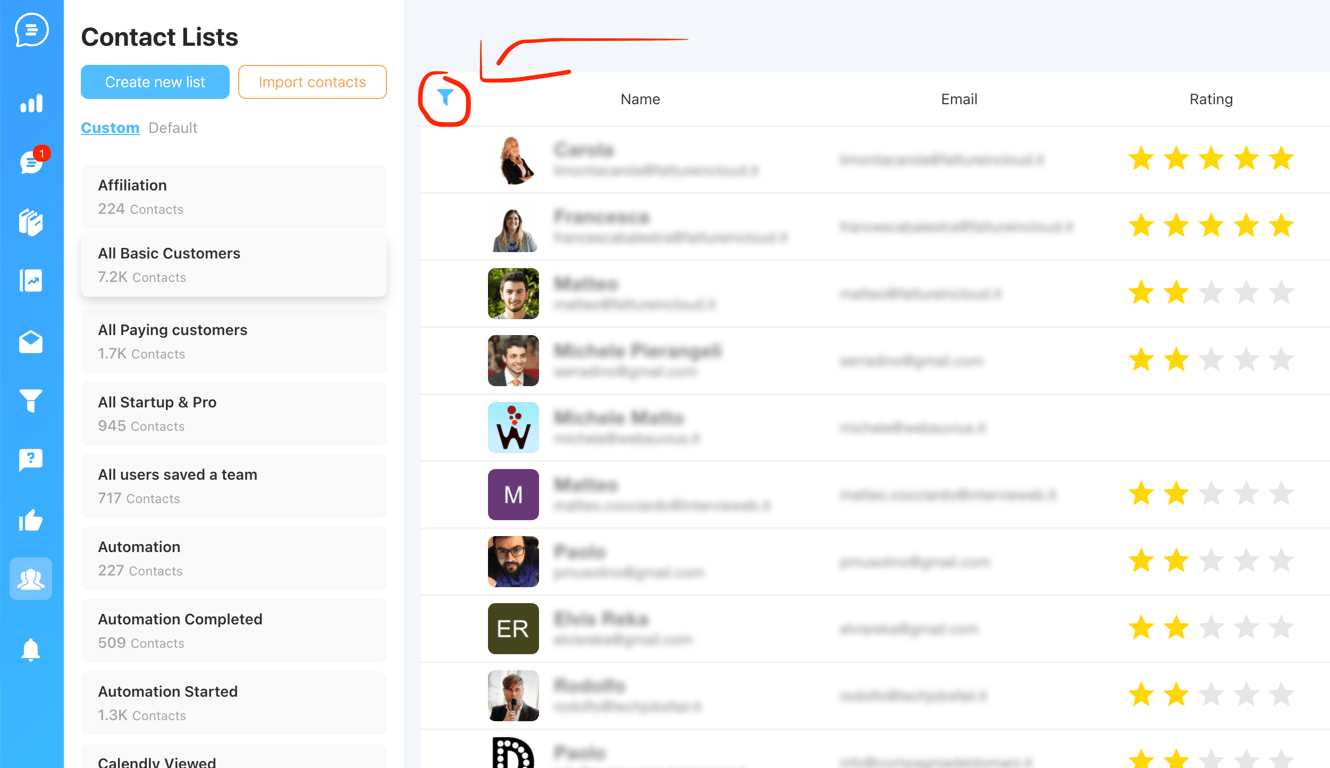
The Contact Lists table in Customerly with the funnel icon at the top left of the table circled in red

Choose a property category

In the Order and Filter custom data window, pick the category of properties to show:

  • All
  • Basics only
  • Marketing
  • Web
  • Mobile
  • Custom only

You can also tick single properties and change their order with the arrows next to each one.
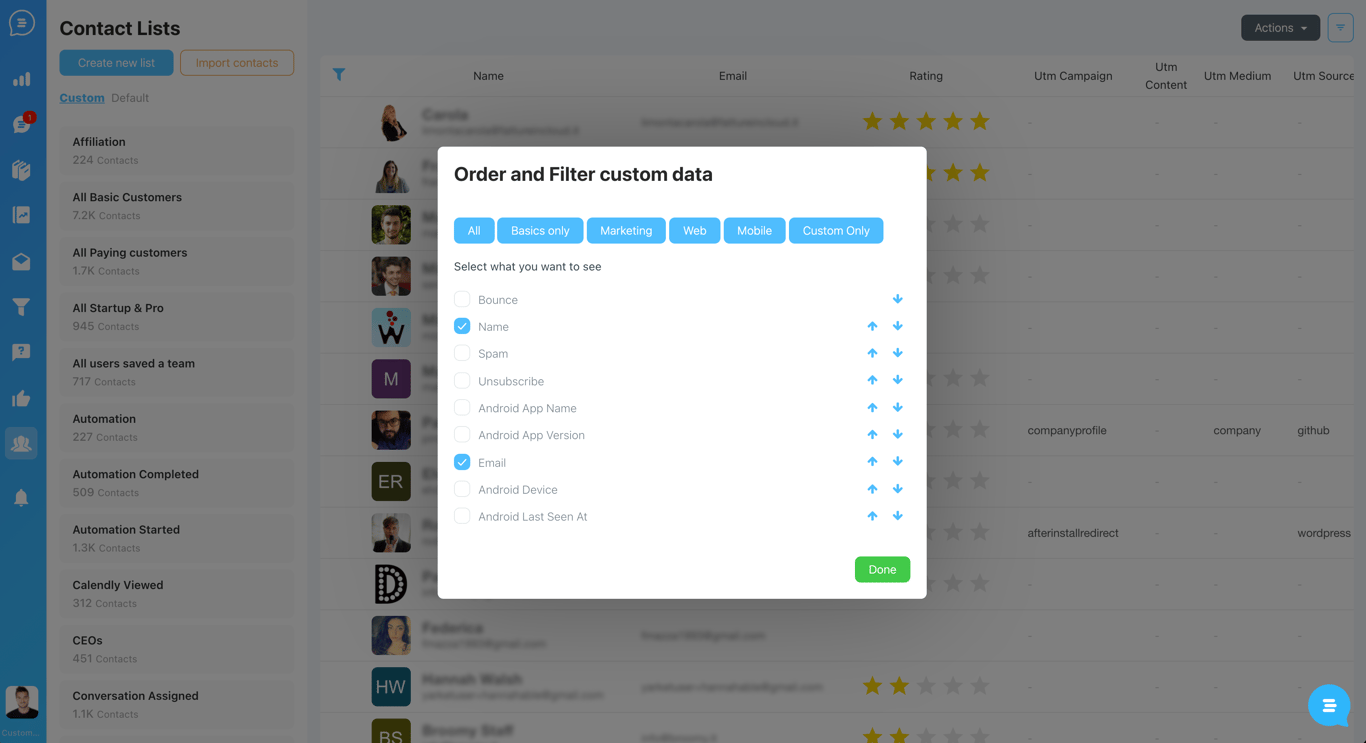
The Order and Filter custom data window with category buttons All, Basics only, Marketing, Web, Mobile and Custom Only above a checklist of contact properties, each with arrows to change its order

Related updates

See the full changelog
New feature

Contact rating: score contacts with stars and filter by rating

Rate your contacts with stars right from your dashboard, then filter by rating or set it automatically with a funnel to tell cold, warm and hot contacts apart.

  • Rate a contact with stars from the User details panel
  • The rating is stored in a contact property named rating
  • Filter contacts by rating to find your cold, warm or hot contacts
  • Set the rating automatically with a funnel based on your own conditions
Contacts & CRMFlows & automation
The User details panel next to a conversation in Customerly, with a Rating field showing two of five stars circled in red
Improvement

Track events and attributes on visitors before they become leads

The live chat now collects events and attributes from website visitors, so you can see what someone did before they converted into a lead or a user.

  • Track events on anonymous visitors, not only on leads and users
  • The live chat collects events and attributes before a visitor converts
  • See what a visitor did before becoming a lead or a user
Contacts & CRMLive chat & Messenger
Product recap

September–October 2025: WhatsApp templates, company profiles and more

WhatsApp templates now send from the Inbox with delivery tracking and bulk retry, and a new Company Profile page shows company properties and their users in one place.

  • Send approved WhatsApp templates from the Inbox, synced automatically from Meta
  • Start a conversation from a WhatsApp number, even if the contact isn't set up yet
  • Resend all failed WhatsApp messages in one click and see why each one failed
  • Company Profile page with company properties and associated users
  • Show original email to inspect headers and raw content
WhatsApp & channelsInboxContacts & CRMHelp Center

AI Support That Sets You Apart.
Start Leading Today.

AI Support Software