


In September, spam stopped mixing with real customer emails, WhatsApp numbers that also run on the WhatsApp Business app can be connected, and the app got faster.
A Spam folder for unwanted emails
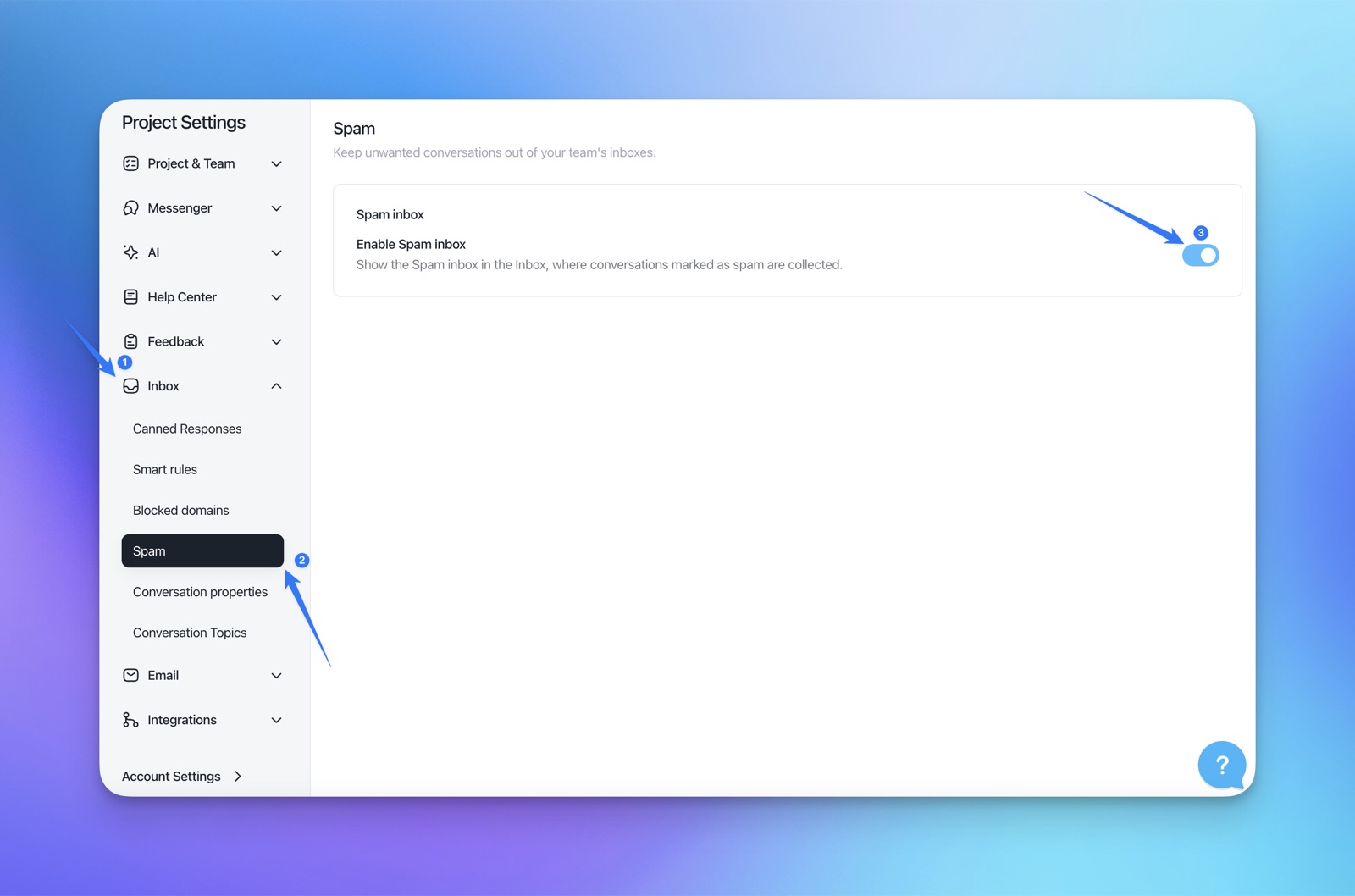
Incoming emails that email providers flag as spam now go to a Spam folder, so they stay out of your team's inboxes.
- Who decides: the email providers, based on sender behavior and the content of the email.
- No AI in there: Aura doesn't read or answer the Spam folder, so check it now and then for real messages flagged by mistake.
- Hide it: Settings → Inbox → Spam, switch off the Spam inbox.
- Released: September 18, 2026
- Guide: Understanding the Spam folder
Keep using the WhatsApp Business app
When you connect WhatsApp, you can choose I already use the WhatsApp Business app and keep replying from the app on your phone too.
- One inbox: messages sent from the WhatsApp Business app appear in your Customerly inbox.
- Who sent it: you choose the teammate that replies sent from the app are attributed to.
- Clear labels: a Business app badge marks numbers that are also active in the app.
- Good to know: previous chats and contacts aren't imported.
- Released: September 22, 2026
A faster app
We updated the web app and the messenger to make them faster (September 7), and the web app now starts faster too (September 30).
For developers
- onMessengerLoadFailed: a new messenger callback tells your code when the messenger could not load (September 23).


