


New featureMore from January 2025

Inbox AI features upgraded to the GPT-4o and GPT-4o mini models

The AI capabilities inside Customerly's inboxes now run on the latest GPT-4o and GPT-4o mini models, for better AI training and better responses for your team.

In short

  • AI capabilities in the inboxes now use the latest GPT-4o and GPT-4o mini models
  • The upgrade improves AI training and responses inside the inboxes

Customerly now uses the latest GPT-4o and GPT-4o mini models to provide better AI capabilities within your inboxes.

Better AI training and responses in the inbox

The move to GPT-4o and GPT-4o mini improves training and the responses the AI features give your team inside the inboxes.
Related updates

See the full changelog
New feature

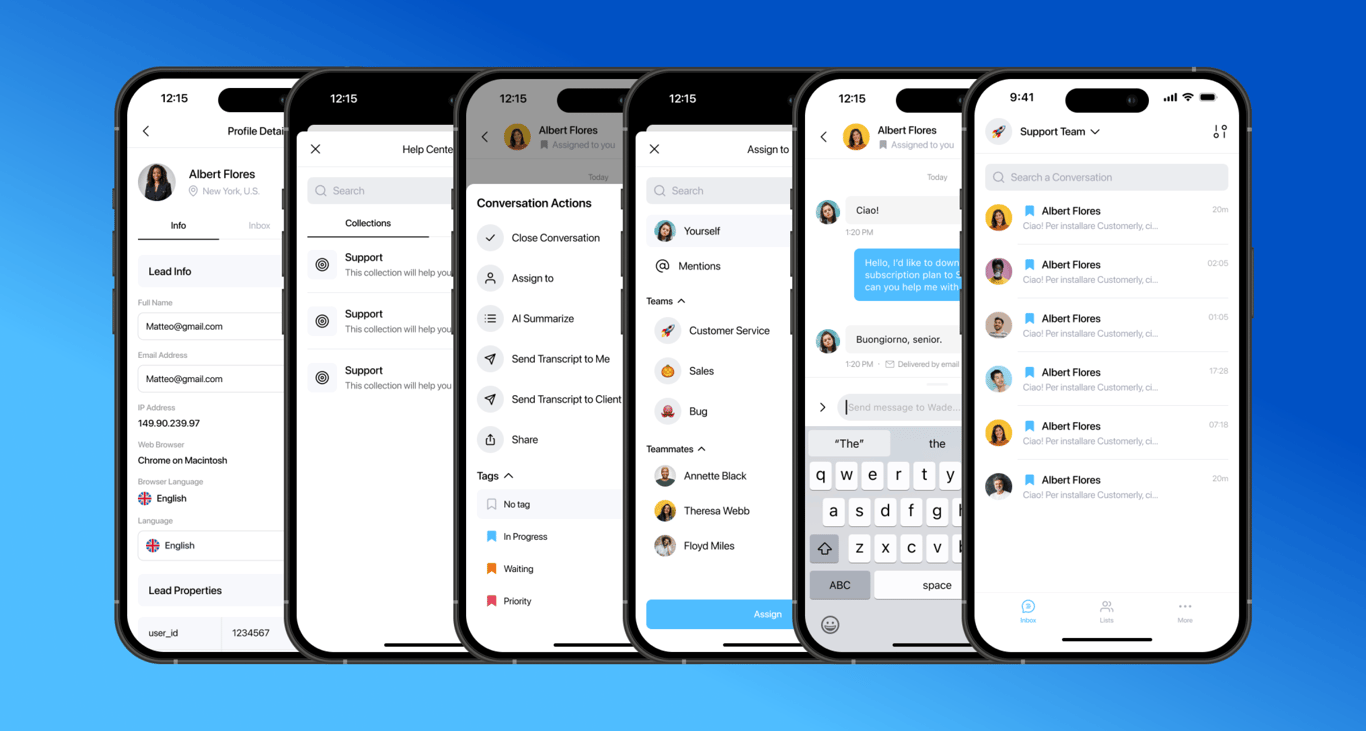
New Customerly mobile apps with AI Summarize, AI Reply and translation

This update announced new Customerly mobile apps with a cleaner UI and web app capabilities such as AI Summarize, AI Reply, inline translation, tags and mentions.

  • A new, cleaner UI and a list view with accessible, editable profile details
  • AI Summarize and AI Reply in mobile conversations
  • Search Help Center articles and include them in replies
  • Inline translation, filtering by tag, adding tags and mentions
  • Send conversation transcripts from the app
MobileInbox
Six screens of the new Customerly mobile app: profile details, Help Center collections, conversation actions with AI Summarize and Send Transcript, the Assign to menu, a chat, and the conversation list
New feature

Teammate Away Mode: see who is available before assigning conversations

Teammates can mark themselves as Away, and green or orange status dots in the inbox sidebar and Assign menu show who can take a conversation right now.

  • Turn on Away Mode from your profile picture at the bottom left of Customerly
  • A green dot means available, an orange dot means Away Mode is on
  • Status dots appear next to each teammate in the inbox left sidebar
  • The Assign menu shows each teammate's availability before you assign a conversation
Inbox
New feature

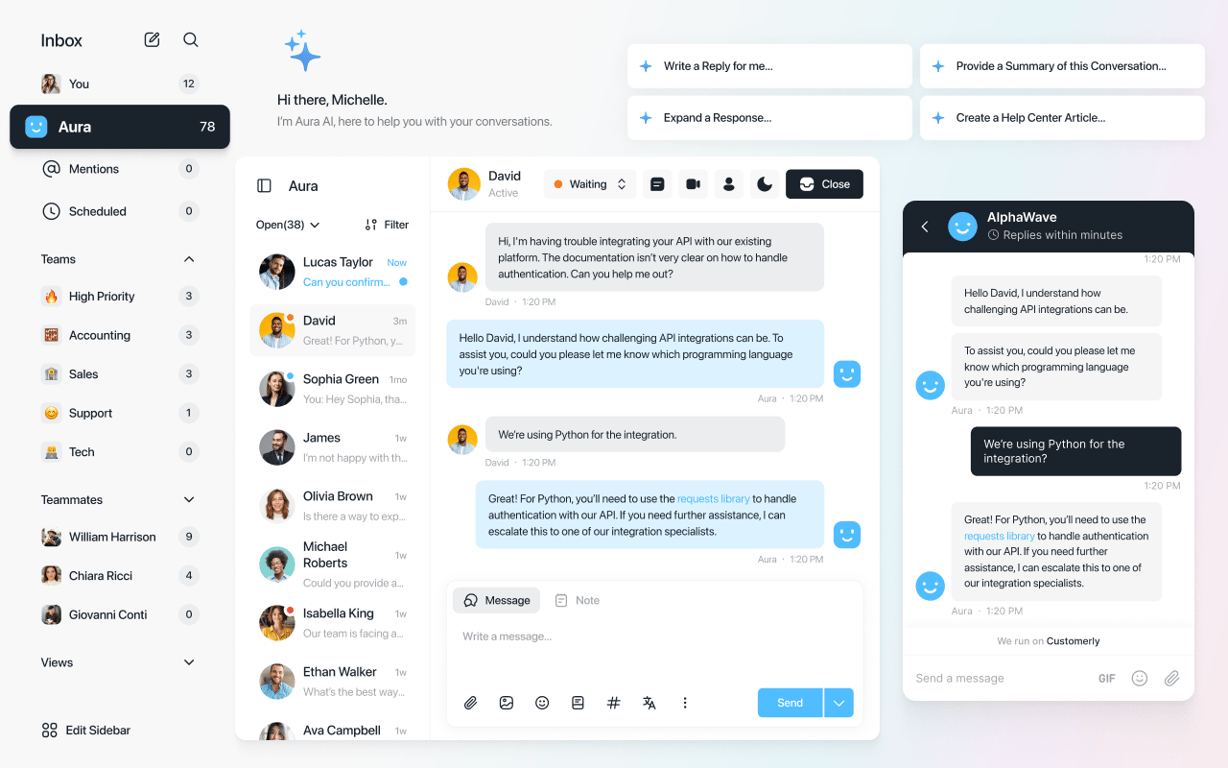
New inboxes: custom views, filters, snooze and AI conversation summaries

The redesigned inboxes are faster and add custom views and filters, snooze, unread statuses, AI summaries and an Aura AI assistant that can draft Help Center articles.

  • Create custom views and filters to organize conversations by your own rules
  • Snooze conversations and handle them later
  • Aura AI assistant uses the full conversation history for replies and expansions
  • Summarize a conversation at a glance without reading the whole thread
  • Write emails from scratch and search users and conversations more easily
InboxAura AI agent
Redesigned Customerly inbox with teams, teammates and views in the sidebar, a conversation answered by Aura, the matching Messenger chat, and Aura AI shortcuts to write a reply, expand a response, summarize the conversation or create a Help Center article

AI Support That Sets You Apart.
Start Leading Today.

AI Support Software

