New featureMore from January 2021

The new Customerly web app opens to the public as a beta

The new Customerly web app was partially released to the public as a beta, so any team could join and explore the new Customerly experience.

In short

  • New Customerly web app partially released to the public
  • Open to everyone through a public beta

The new Customerly web app is now partially released to the public as a beta, so you can explore the new Customerly experience.

Explore the new web app in public beta

Anyone can join the public beta and try the parts of the new web app released so far. The screenshot below shows its conversation view.
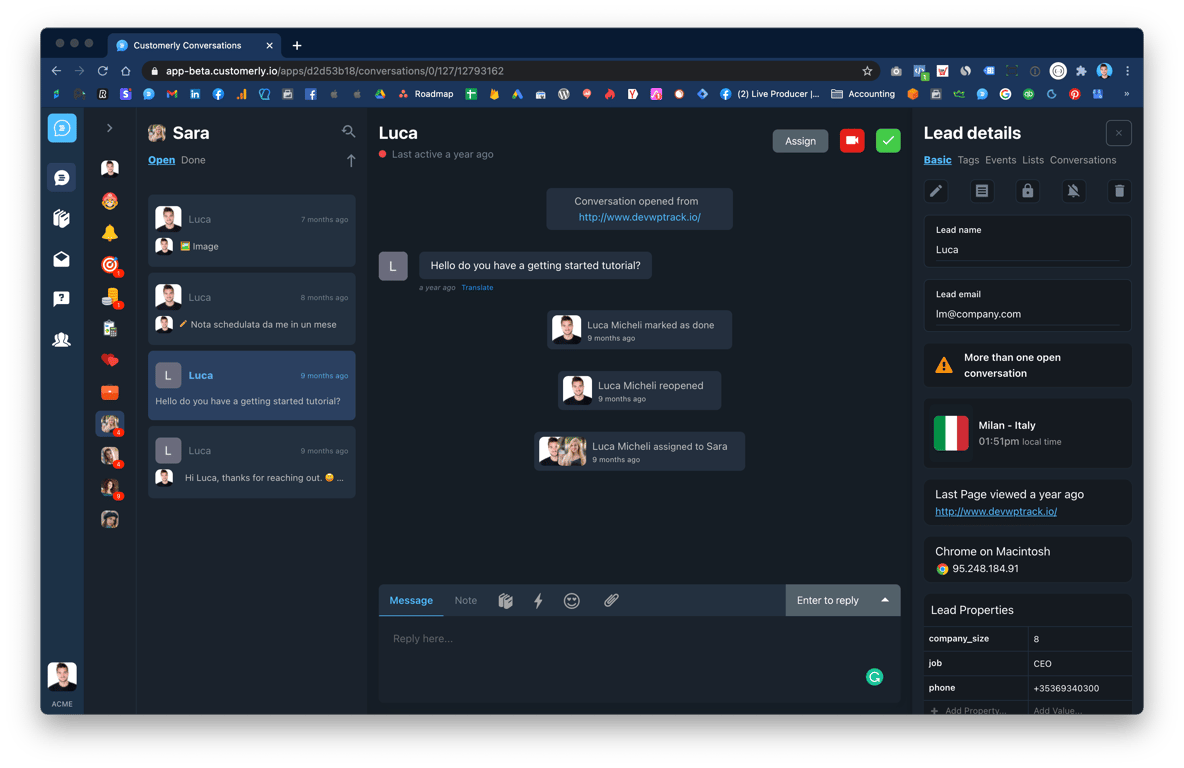
The new Customerly web app in a dark theme, showing the conversation list, an open conversation with a lead, and the Lead details panel with location, browser and custom properties

Related updates

See the full changelog
Product recap

September 2026: a Spam folder, WhatsApp Business app coexistence and a faster app

Spam emails get their own folder, you can keep replying from the WhatsApp Business app on a connected number, and the web app starts faster.

  • Emails flagged as spam by email providers land in a separate Spam folder
  • Connect a number you already use in the WhatsApp Business app and keep using the app
  • We updated the web app and the messenger to make them faster
  • New onMessengerLoadFailed callback for developers
InboxWhatsApp & channelsPlatform & securityAPI & developers
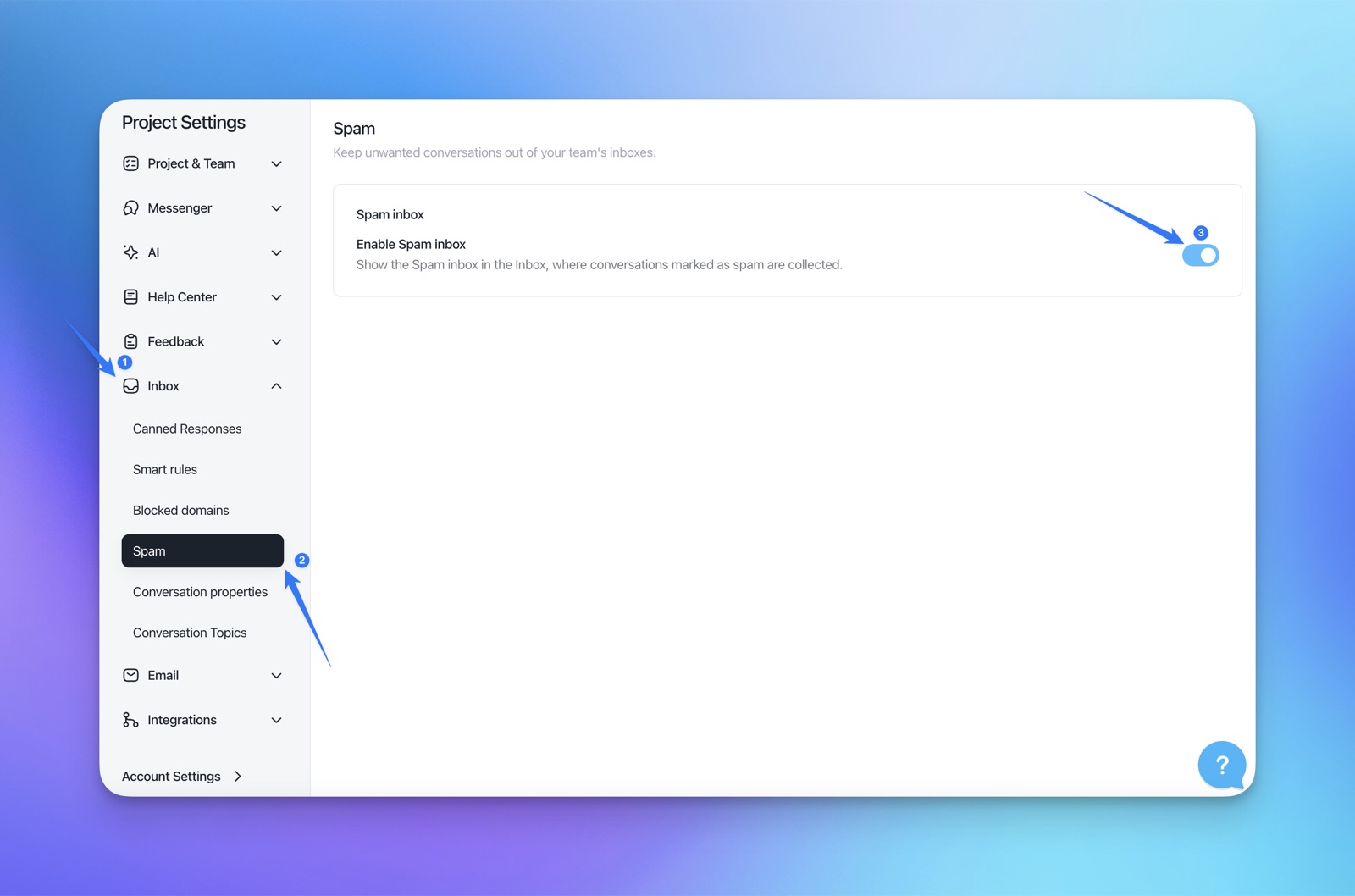
Customerly Project Settings with Inbox → Spam open and the Enable Spam inbox toggle switched on
New feature

Message translator: translate incoming messages into your language

Translate any incoming customer message into your language with the Translate button below the message bubble, without leaving the conversation.

  • Translate any incoming message into your language
  • One Translate button below each message bubble
  • The translation appears under the original text, labeled with its source language
Inbox
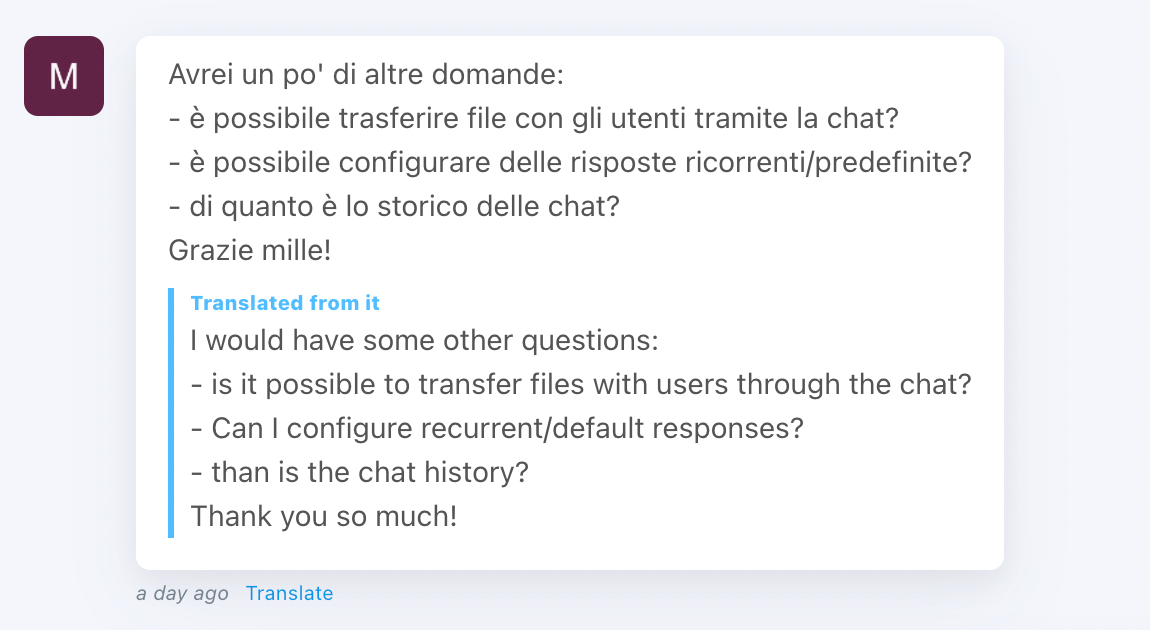
An Italian customer message in a Customerly conversation with its English translation below, labeled Translated from it, and the Translate link under the bubble
New feature

Lock conversations to prevent duplicate replies and take over when needed

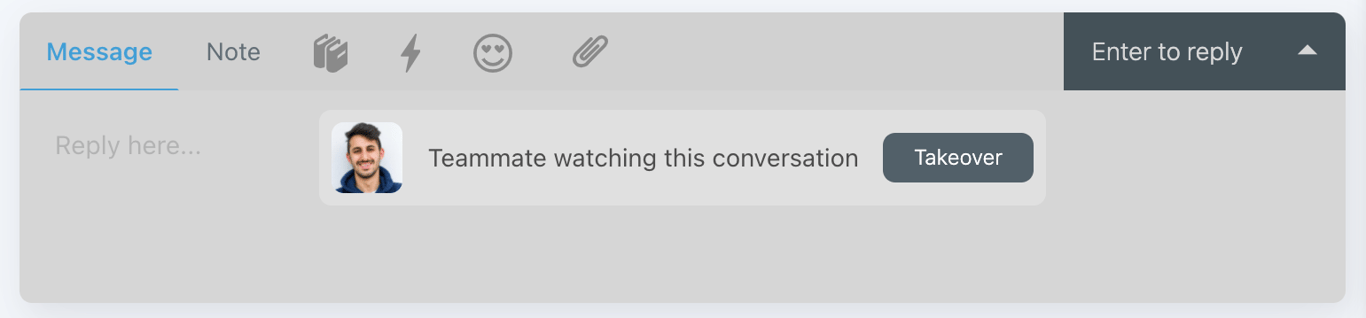
When a teammate is viewing a conversation, your reply box now locks by default to prevent duplicate answers. You can take over to unlock it and reply or add a note.

  • The reply box locks when a teammate is already looking at the conversation
  • Stops two teammates from writing the same answer at the same time
  • A Takeover button unlocks the reply box so you can reply or add a note
Inbox
A locked reply box in a Customerly conversation showing a teammate's photo, the message Teammate watching this conversation and a Takeover button

AI Support That Sets You Apart.
Start Leading Today.

AI Support Software