


New featureMore from October 2026

Privacy-friendly email tracking: choose Individual, Anonymous or None

Choose how emails are tracked, per project or per email, let contacts opt out of tracking, and send legally required notices to unsubscribed contacts.

In short

  • Three email tracking modes: Individual, Anonymous and None, per project or per email
  • Anonymous stats keep your open and click rates, and bot opens and clicks are ignored
  • A Manage email preferences page lets contacts opt out of tracking
  • Send mandatory notices, like terms updates, to unsubscribed contacts
  • Tracking links and pixels use an opaque token instead of contact or campaign IDs

Email tracking in Customerly is now privacy friendly: you choose how each email is tracked, contacts can opt out of tracking and still receive your emails, and legally required notices reach unsubscribed contacts too. These settings were built in response to the Italian Data Protection Authority's guidance on tracking pixels, and every new setting keeps your current behavior by default.

Three email tracking modes

  • Individual: per contact, as before.
  • Anonymous: aggregate counts only, nothing tied to the person.
  • None: no pixel, links untouched.
  • Defaults and overrides: set a project default for campaigns and workflows, and override it on any single email.
  • Numbers you can trust: anonymous statistics keep your open and click rates, and bot opens and clicks are now ignored.
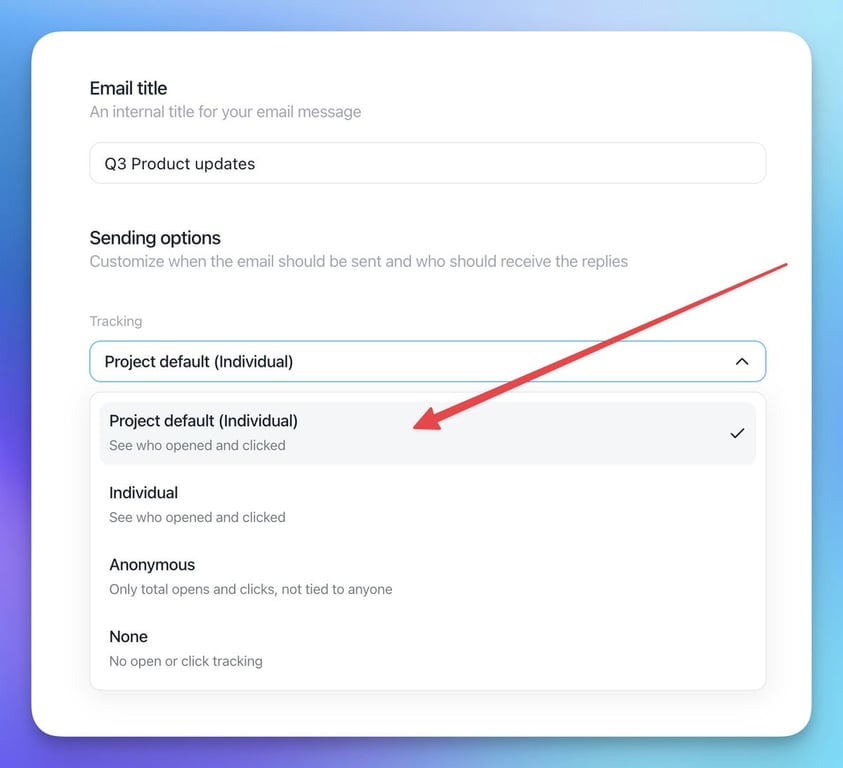
Email sending options with the Tracking dropdown open, listing Project default (Individual), Individual, Anonymous and None

Contacts stay in control

  • Manage email preferences: the unsubscribe page is now a "Manage email preferences" page, where contacts can opt out of tracking and still receive your emails.
  • Logged in the contact's history: every preference change is recorded there.
  • New footer link: it now reads "Manage preferences" instead of "Unsubscribe".

Send mandatory communications

You can now also send to unsubscribed contacts, only for legally required messages such as terms updates or data breach notices.
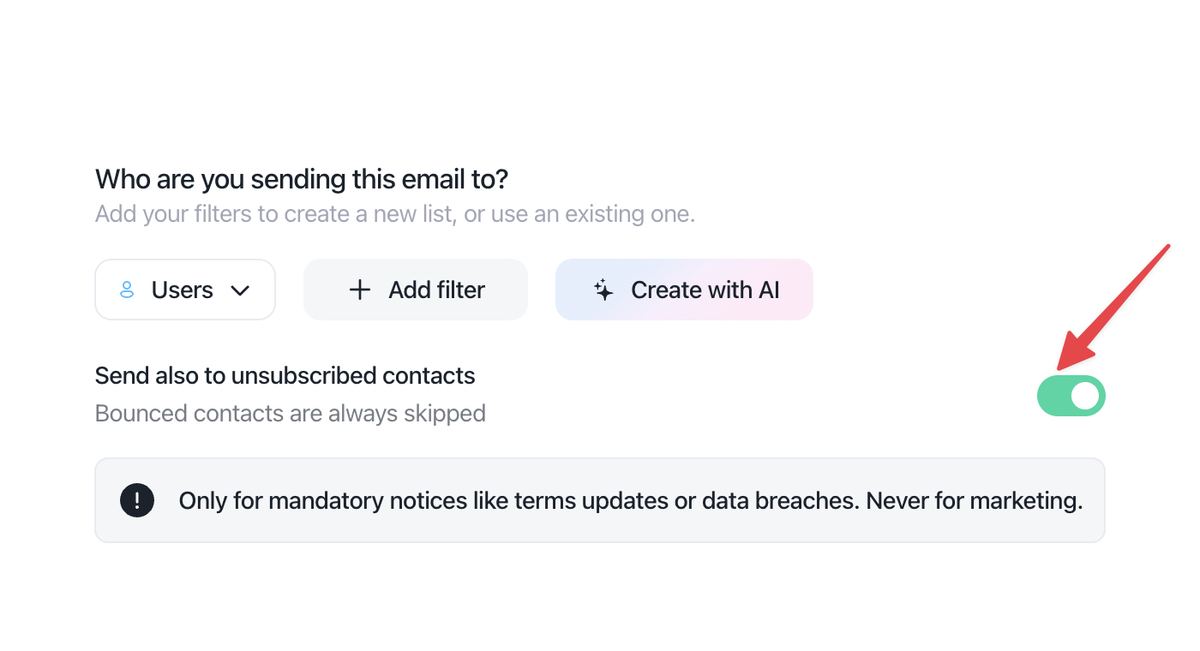
Email audience step with the Send also to unsubscribed contacts toggle switched on and a note that it is only for mandatory notices like terms updates or data breaches

Opaque tracking tokens

Email tracking links and pixels now use an opaque token instead of contact or campaign IDs.

  • Released: October 28, 2026, with the tracking modes
Related updates

See the full changelog
Product recap

October 2026: one active computer per account and more accurate locations

Each Customerly account now works on one computer at a time, contact locations are refreshed weekly, and WhatsApp marketing templates use Meta's dedicated API.

  • One active computer per account, with Resume here to switch
  • More accurate country detection, with location data refreshed weekly
  • WhatsApp marketing templates go through Meta's Marketing Messages API
  • The Messenger installed status counts only your own website or app
Platform & securityContacts & CRMWhatsApp & channelsLive chat & Messenger
Product recap

August 2026: identity verification, UTM attribution and multiple attachments

Verify logged-in users with email_hash, keep campaign UTMs when visitors change page before chatting, and send several attachments at once.

  • Identity verification with email_hash confirms who is really chatting
  • Campaign UTMs are kept when a visitor changes page before opening a chat
  • Add several attachments to a message at the same time
Live chat & MessengerPlatform & securityContacts & CRM
Product recap

July 2026: merge duplicate contacts and filter by how often events happen

Merge duplicate contacts into one history, segment contacts by how many times they did something and when, and a richer contact activity timeline.

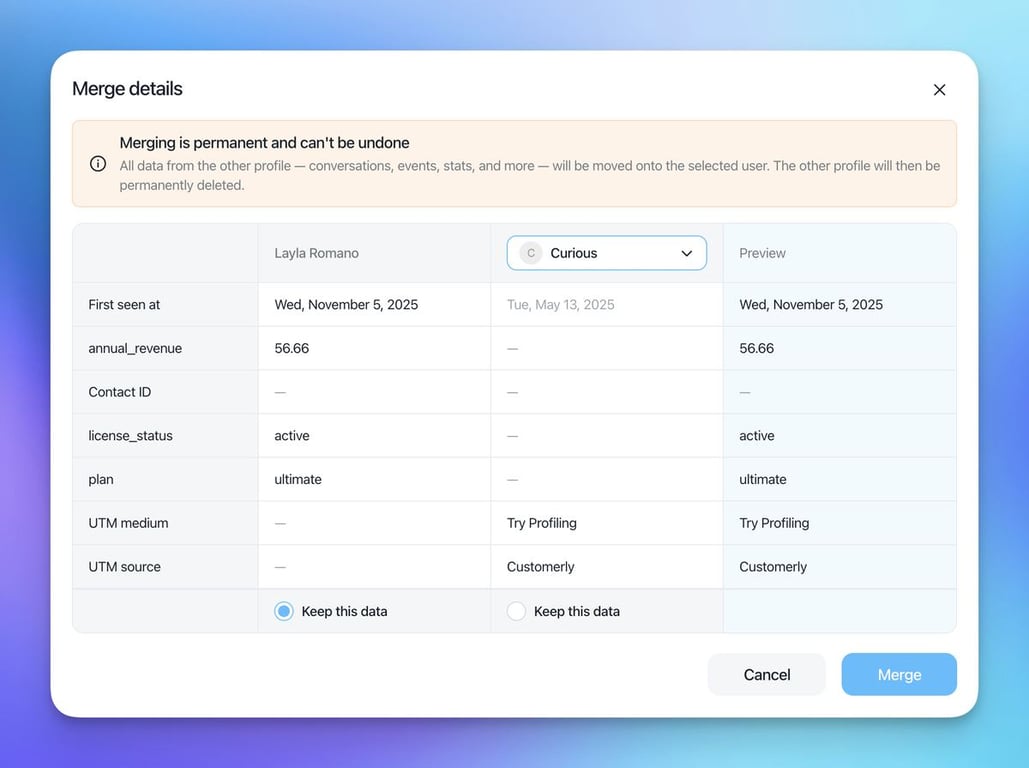
  • Merge duplicate contacts into one record with one complete history
  • Filter contacts by how many times an event happened, inside a time window
  • Contact activity timeline with infinite scroll and new activity types
  • Browser back and forward buttons now work in the inbox
Contacts & CRMEmail marketingHelp CenterInbox
Merge details dialog comparing two contact profiles field by field, with First seen at dates, Keep this data options, a preview column and a warning that merging is permanent

AI Support That Sets You Apart.
Start Leading Today.

AI Support Software

